
Wonderplan
Free
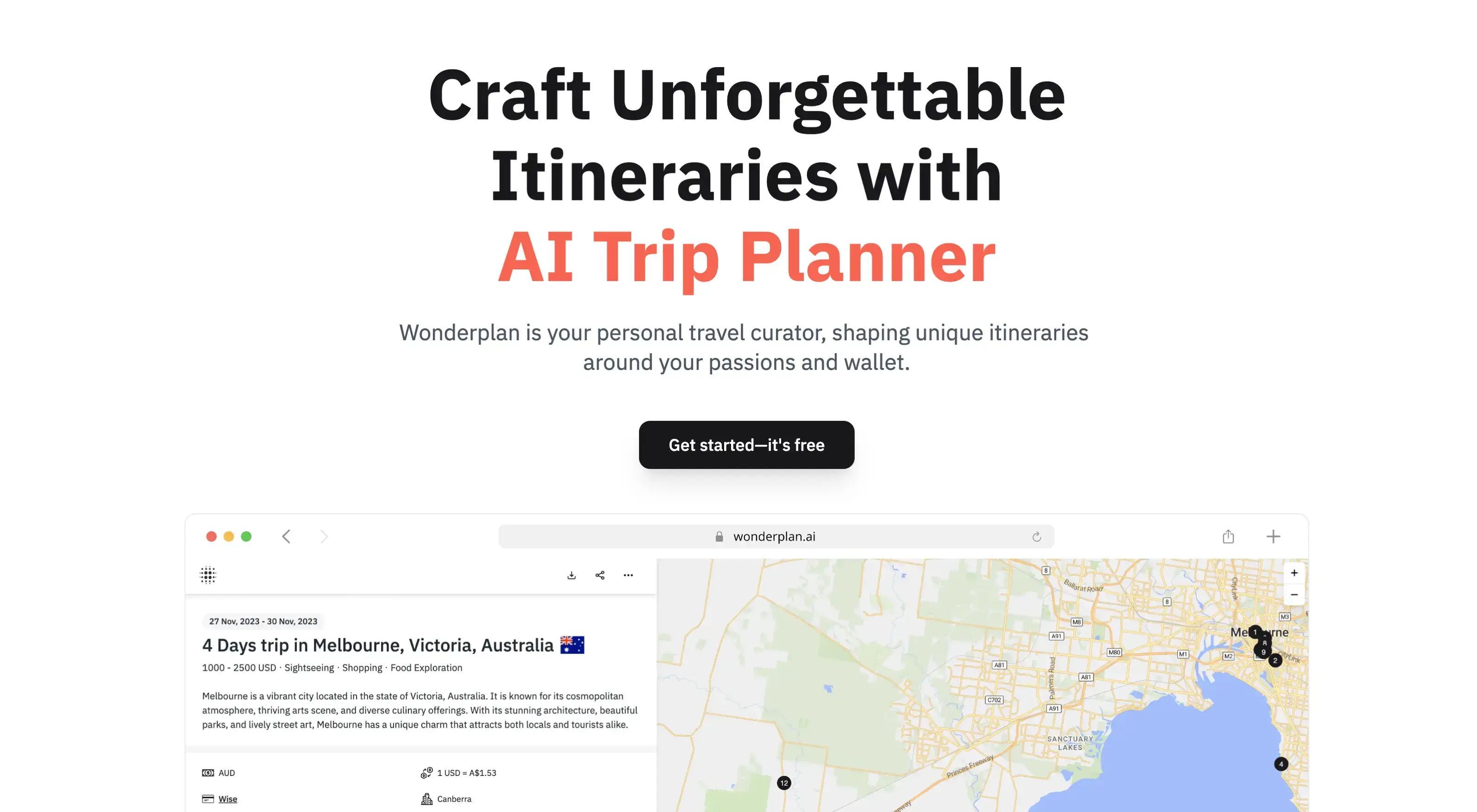
Plan trips with AI-generated custom itineraries, search for personalized hotel recommendations, and download offline PDFs to manage travel in one place.
About
Wonderplan is a free web trip planner. It takes your answers from a short form and builds a day-by-day itinerary you can edit, save, or print.
You pick a destination, dates, budget tier, and interests. It fills in activities, restaurants, and hotel ideas. You can reorder days, drop items, or add new stops. When you are done, you download a PDF.
It helps with early ideas for single-city trips. It does not book flights, cars, or hotels. It does not check if places are open or if prices are current. That work stays with you.
Open Wonderplan if you want a quick free outline for one city. Skip it if you need live booking, multi-stop trips, or verified details.
Who Wonderplan is best for
It fits narrow jobs. Here is who gets the most out of it.
- Budget travelers who want a free first draft: You pay nothing to start. You get a structured plan in seconds. You still need to check if the places exist and what they cost now.
- People who hate chatbots and complex prompts: You fill a form instead of typing and retrying. The interface is one page. You see results immediately after submit.
- Solo travelers with simple city breaks: You plan one place at a time. No multi-city support means you manually chain trips together if you want more stops.
- Users who need offline PDF copies: You download the plan to your phone or print it. This helps when data is spotty abroad or your battery dies.
- Early-stage brainstormers not ready to commit: You test a destination without sinking time. You walk away and lose nothing if the plan does not fit.
- Weekend trip planners who need fast outlines: You get a Saturday-Sunday skeleton in under a minute. You fill the gaps yourself.
- Anyone who wants zero signup friction: Some flows let you start without an account. Others require one before you see output. Either way, there is no credit card wall.
- First-time AI tool users: You learn what AI trip planning feels like without paying or installing anything. The form guides you so you do not guess at prompts.
Best things about Wonderplan
These are the parts that keep you coming back.
- Truly free with no premium tier: You do not hit a paywall mid-plan. The tool says it is free "for now," so you use it while it lasts without monthly bills.
- Clean form-based start: You skip prompt engineering. Dropdowns and checkboxes do the work. You get consistency without typing the same request three ways.
- PDF export for offline use: You keep a paper backup or a file on your device. This matters when you are off grid or your phone dies mid-trip.
- Editable after generation: You drag days around, delete duds, or add your own finds. The plan stays flexible after the AI hands it over.
- Budget-first cost clarity: You see rough spend tiers upfront. You know if the tool thinks you are planning a $500 or $5,000 trip before you dig into details.
How you use Wonderplan
The path is short and visual.
- Open the site and pick your destination, dates, and who travels.
- Select your budget tier, interests, and food preferences from the form.
- Submit and receive a day-by-day draft with activities, restaurants, and hotel links.
- Drag to reorder, delete items you do not want, or add your own stops.
- Download the finished plan as a PDF or save it to your account.
Why you should ignore it
Skip it when the limits block your actual trip.
- Weak personalization: You can mark "adventure" or "relaxation" and get similar base itineraries. The shuffle is light, not rebuilt.
- Single-city only: You cannot plan a road trip or multi-stop route in one go. Each leg needs a separate plan you stitch together yourself.
- No live verification: Hours, prices, and open days come from training data, not real checks. You stand in front of a closed door if you trust it blindly.
- Thin hotel search: The "find a place to stay" button often drops you on a generic booking site, not a filtered list matching your plan.
- English only: You cannot use it in another language. The output and interface stay in English even for non-English destinations.
- No group collaboration: You cannot share edits, vote on options, or plan together in real time. One person drives, others see the PDF after.