
Virvid
Freemium
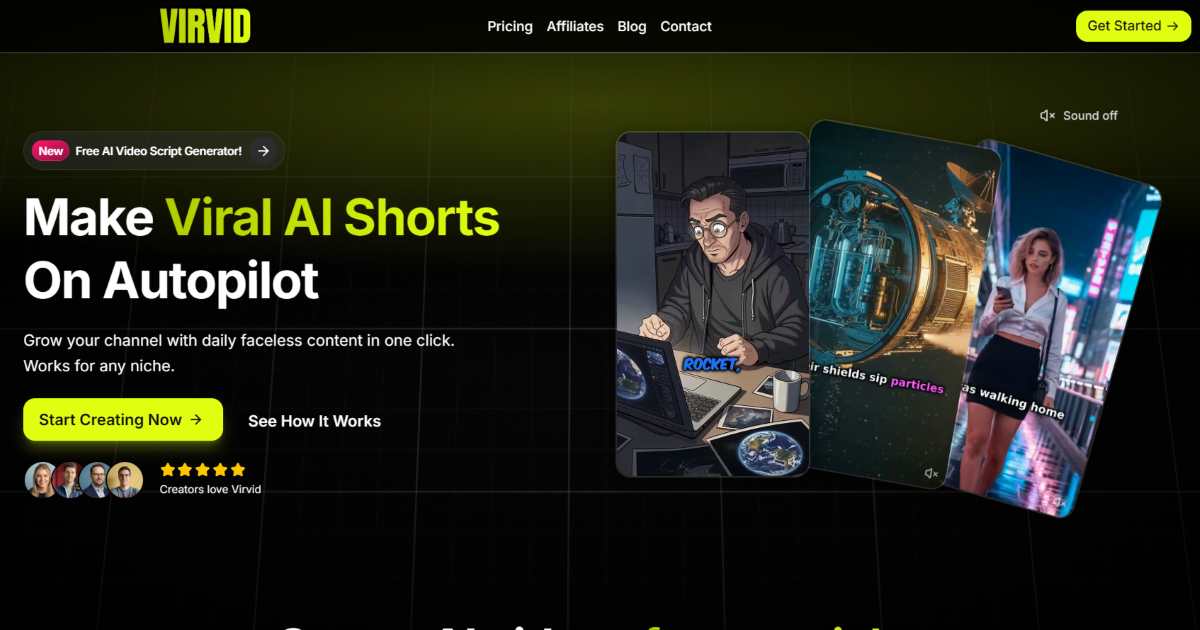
Generate faceless AI shorts by entering a topic, choosing a style and voice, and getting a complete video with captions and music in under two minutes, or automate daily posting to connected social accounts.
About
Virvid is a video generation tool that builds faceless short-form videos from text. You type a topic or script, and it returns a finished TikTok, Reel, or YouTube Short.
It sits in one category: making short video at scale. The workflow is script, visuals, voice, music, captions, and optional auto-post. Everything happens in one place.
The tool fits creators who want daily output without manual editing. It is a poor fit if you want long-form, tight creative control, or a free plan that shows finished work.
Open it if you need faceless short videos on autopilot. Skip it if you need depth over speed.
Who Virvid is best for
It helps most when this is the job in front of you.
- Faceless YouTube Shorts channels needing recurring content: You get a daily series that runs without your input. You keep the channel alive while you do other work.
- TikTok and Instagram Reels creators wanting automation: You stop scripting and editing by hand. You post more without adding hours.
- Affiliate marketers making quick promo clips: You turn product links into short videos fast. You test angles without a production budget.
- Creators testing multilingual content across global channels: You make the same video in Spanish, French, or twenty other languages. You find what lands before you hire talent.
- Beginners who want one tool instead of multiple subscriptions: You get script, visuals, voice, and posting in one tab. You skip learning three apps.
- Agencies managing several short-form content streams: You run multiple accounts from one dashboard. You hand off daily posting to the tool.
- Creators with validated formats seeking volume automation: You already know what works. You scale it without scaling your time.
- Operators running daily series across multiple platforms: You connect TikTok, Instagram, and YouTube. You publish everywhere without opening each app.
- Creators experiencing burnout from manual scripting and editing: You cut the work that drains you. You keep the output that builds the channel.
- Local businesses and product promoters without video production resources: You look like you have a team. You spend under forty dollars a month.
Best things about Virvid
These are the parts you notice after a few tries.
- Speed from idea to export: You get a first video in about fifteen minutes. You go from prompt to publish-ready without waiting hours.
- Auto-post to multiple platforms: You set up a series once. It publishes daily to your connected accounts while you sleep.
- Consistent AI characters across episodes: You build a faceless brand with the same figure every time. Viewers start to recognize your series.
- Use your own voice: You record once and reuse it. You sound like yourself instead of picking from a list.
- No watermarks on any paid plan: You export clean files on the cheapest tier. You do not pay extra to remove branding.
- Two-minute processing on paid plans: You iterate fast. You test three versions before lunch.
How you use Virvid
The path is short.
- Type a topic or paste a script you already wrote.
- Pick a visual style from the weekly updated list.
- Choose a voice or upload your own recording.
- Add captions, music, and effects in the built-in editor.
- Export or set up auto-post to your connected accounts.
Why you should ignore it
Skip it when the fit is wrong.
- The entry price is steep for testing: You pay $39 a month before you know if the output works for your audience. The free trial does not show the final video.
- Short-form only: You cannot stretch to long-form. You need another tool for anything over sixty seconds.
- Scripts need tweaking: You still edit for tone and accuracy. The AI draft is a starting point, not a finished post.
- Limited creative control: You cannot fine-tune like you would in Premiere or DaVinci. You trade precision for speed.
- No live chat support: You wait for email responses when something breaks. You have no guaranteed window for urgent fixes.
- No mobile app: You work from a desktop browser. You cannot manage series from your phone.