
Vidnoz AI
Freemium
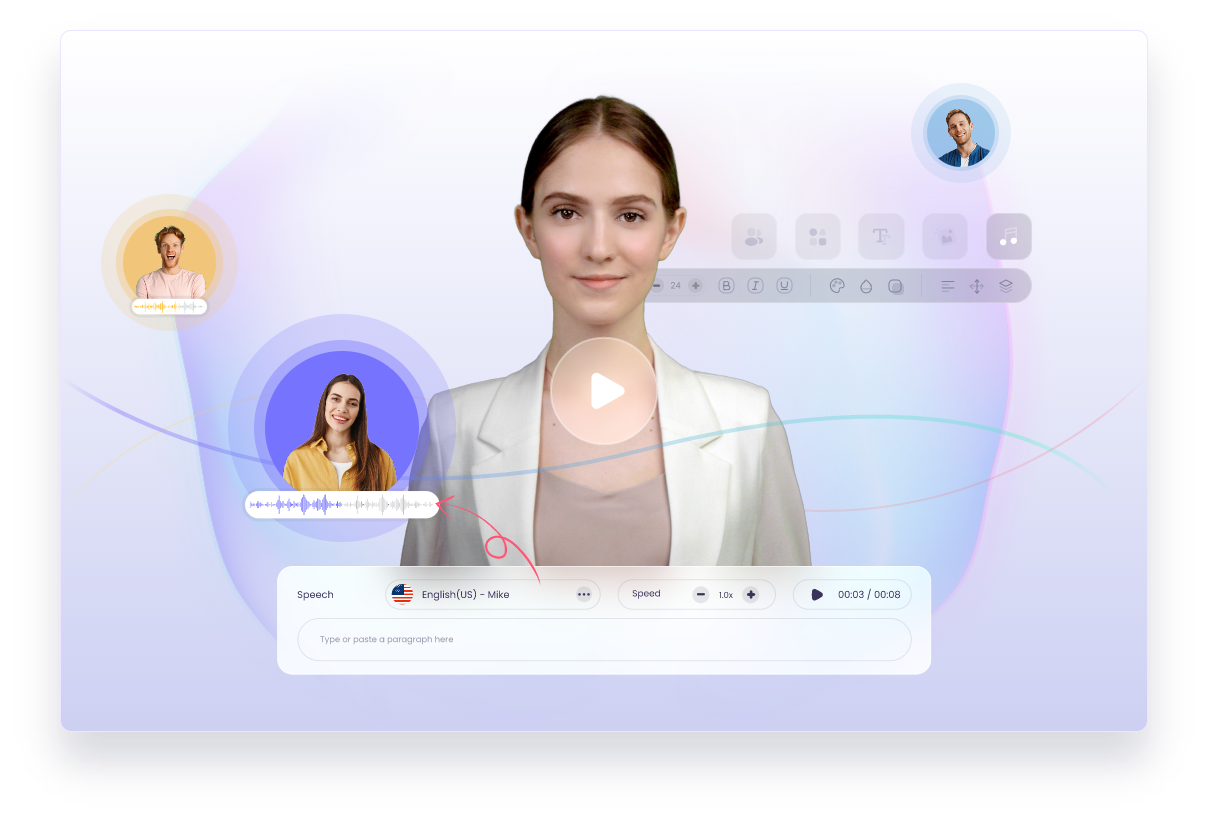
Create AI-generated videos in a browser by selecting an avatar, entering text for speech, and adding custom elements, with options for voice cloning and 140+ language support.
About
Vidnoz AI is a generative video platform that makes presenter-style videos from text. You pick an AI avatar, choose a voice, and get a talking-head clip without filming.
The tool sits in video generation work. It is built for speed, not polish. You trade control for velocity.
Most people hit limits fast. The free tier is generous but capped. Paid tiers add credits that burn quickly on fancy features.
Open it if you need quick training videos or social clips without a crew. Skip it if you need deep editing or trust-heavy content like product reviews.
Who Vidnoz AI is best for
You will get the most from it when your job matches one of these.
- Corporate training teams: You make onboarding videos at scale. No camera time needed per employee.
- Educators and e-learning creators: You turn text lessons into video modules. Students get a face without you recording.
- How-to and explainer makers: You need simple walkthroughs fast. The templates cut setup time.
- Teams scaling video without on-camera talent: You keep output high while your team stays off-screen.
- Multilingual marketers: You translate one script into 140 languages. You skip re-shooting for each market.
- Budget-conscious small businesses: You test AI video free first. No credit card required to start.
- YouTubers building faceless channels: You want avatars that talk your script. You do not need to show your own face.
- Sales teams doing personalized outreach: You record one voice clone, then send tailored videos at scale.
- Social media marketers: You need quick motion clips from existing images. You accept 5-second bursts, not full films.
- Teachers needing avatar explainers: You want a presenter without filming yourself. The learning curve is gentle.
Best things about Vidnoz AI
These are the parts that keep you coming back.
- Massive free tier: You get 1,900 avatars and 140 languages without paying. Most competitors lock this behind subscriptions.
- Fast setup: You pick a template, paste a script, and render in minutes. The interface needs no prior video skill.
- Voice cloning that works: You record one minute of your voice. The AI copies your pacing and breaths well enough for outreach.
- Built-in image generation: You describe what you need, get it, and drop it into your video. No tab-switching.
- Mobile-friendly workflow: You can build videos on your phone. The app beats competitors for on-the-go creation.
- Generous avatar filters: You sort by age, region, posture, and attire. Finding the right look takes seconds.
How you use Vidnoz AI
The path is short once you sign up.
- Pick a creation method: text-to-video, image-to-video, or talking avatar.
- Select your avatar and voice, or upload your own image for face swap.
- Paste your script and set your language or emotion.
- Add custom elements like images or scenes.
- Hit render and wait 5–15 minutes for your download.
Why you should ignore it
Skip it if these limits break your project.
- No lip-sync preview: You must render the full video to see how the avatar speaks. You re-render if the timing is off.
- Watermarked, low-res free exports: You get 720p with a logo. You pay to look professional.
- Credits burn fast on advanced features: Expressive avatars cost 4x standard credits. One minute eats 120 credits.
- Generic AI scripts: You write your own or accept bland output. The built-in writing is below average.
- Corporate-only avatar styles: You get professional looks. Casual or playful content feels forced.
- Not for trust content: You cannot fake product reviews or testimonials. Viewers will spot the automation.
- Limited editing control: You drag and drop scenes. You cannot fine-tune timing or micro-expressions.