
Typefully
Freemium
Create, schedule, and publish social media posts across X, LinkedIn, Bluesky, Threads, and Mastodon, with AI writing assistance and team collaboration tools.
About
Typefully is a writing and copywriting tool for drafting and scheduling social posts. It sits between a blank page and six publishing platforms: X, LinkedIn, Bluesky, Threads, and Mastodon.
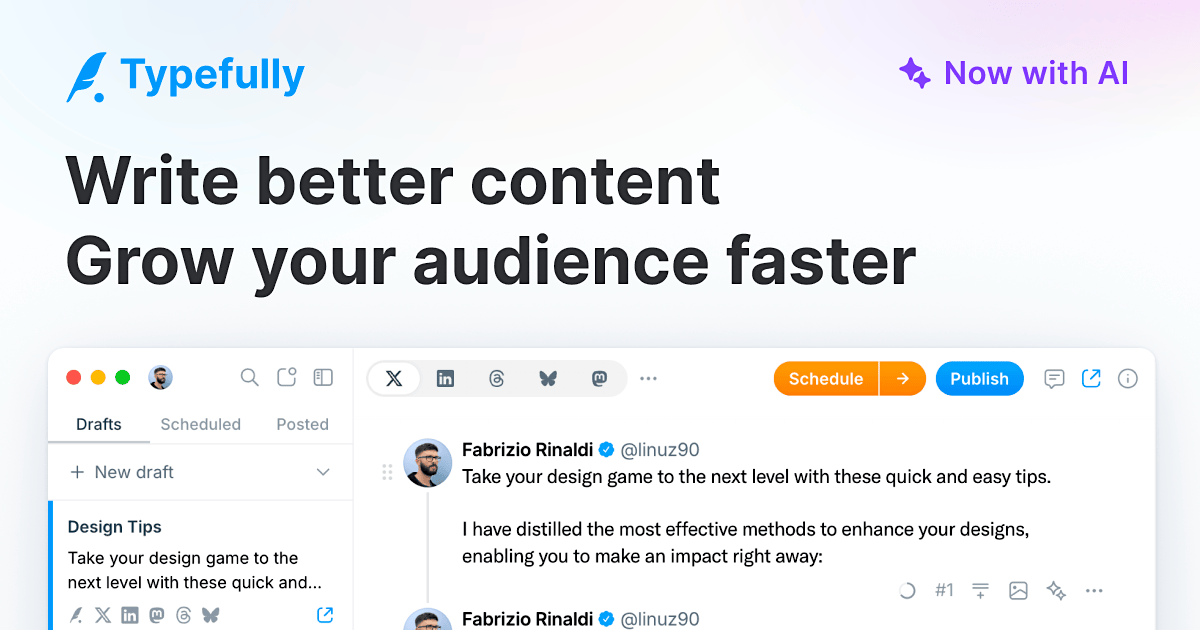
You write in a clean editor. You see pixel-perfect previews before you post. You schedule to one or many platforms with per-platform tweaks.
It does not create images. It does not show you what to write. It does not give you LinkedIn analytics. The AI helps with phrasing, not with ideas.
Open it if you post text-first across multiple platforms and want one calm place to write. Skip it if you need visual content creation, deep analytics, or help deciding what to say.
Who Typefully is best for
It changes how these people work.
- Text-first creators posting across multiple platforms: You write once and customize per network without copy-paste friction. You stop losing drafts to browser bugs.
- X-focused creators wanting engagement automation: You set auto-plug, auto-retweet, and auto-DM rules that fire when posts hit thresholds. You spend less time manually engaging.
- Founders and marketers prioritizing clean writing experience: You get a distraction-free editor with no algorithmic sidebar pulling you into consuming content.
- Teams needing basic collaboration and draft sharing: You share draft links, add comments, and use @mentions without per-seat pricing that scales with headcount.
- Ghostwriters managing multiple clients through social sets: You separate accounts by client with dedicated calendars and permissions. You keep client work from mixing.
- Anyone writing long X threads or X Articles who needs accurate previews: You see exactly how each post will look before it ships. You avoid formatting surprises.
- Multi-platform repurposers adapting content across X, LinkedIn, Threads, etc.: You cross-post with platform-specific customization from one interface.
- Users who lose work to browser bugs on native X: Auto-save kicks in as you type. You stop retyping lost threads.
- People who want to post on LinkedIn more consistently: You draft alongside X content without opening LinkedIn's distracting feed.
Best things about Typefully
These are the parts you keep coming back to.
- Genuinely distraction-free editor: No trending topics. No notifications. No feed to scroll. You just write.
- Pixel-perfect previews: You see exactly how posts and threads will render before you hit publish. No more broken formatting surprises.
- Auto-save that actually works: Your drafts save as you type. You stop losing work to X's unstable compose window.
- Smooth cross-platform publishing: You draft once, then customize per platform. You schedule to X, LinkedIn, Bluesky, Threads, and Mastodon without jumping between tabs.
- Social sets for clean account separation: You group accounts by client or brand with dedicated calendars and permissions. Your client work stays organized.
- X-specific automation: Auto-plug adds promotional comments when posts hit engagement thresholds. Auto-retweet spreads posts across timezones. You reduce manual engagement work.
How you use Typefully
The path is straightforward.
- Open the editor and start typing, or paste a wall of text to auto-split into a thread.
- Preview how your post or thread will look on each platform you want to use.
- Customize per platform if needed—tweak tone, add or remove hooks, adjust media.
- Schedule for your chosen time, or queue for the tool's suggested optimal slot.
- Let auto-plug and auto-retweet run in the background once posts go live.
Why you should ignore it
Skip it when these limits matter.
- No LinkedIn analytics: You only get engagement data for X. If LinkedIn is your primary platform, you fly blind on performance.
- AI needs warmup before it matches your voice: Early outputs sound generic. You need a body of posts before the style learning kicks in.
- Free plan is too limited for real use: Five drafts and fifteen posts per month. You outgrow it fast if you post regularly.
- No visual content creation: You make graphics elsewhere and import them. There are no design tools built in.
- No auto-suggest for X handles: You must know exact @handles to tag people. There is no dropdown help.
- Cannot @mention on LinkedIn: API limitations block this entirely. You tag people manually after publishing.