
Tableau
Freemium
Analyze data and get actionable insights through AI-assisted conversation, automated data preparation, and embedded analytics, using natural language queries across dashboards and integrated AI agents.
About
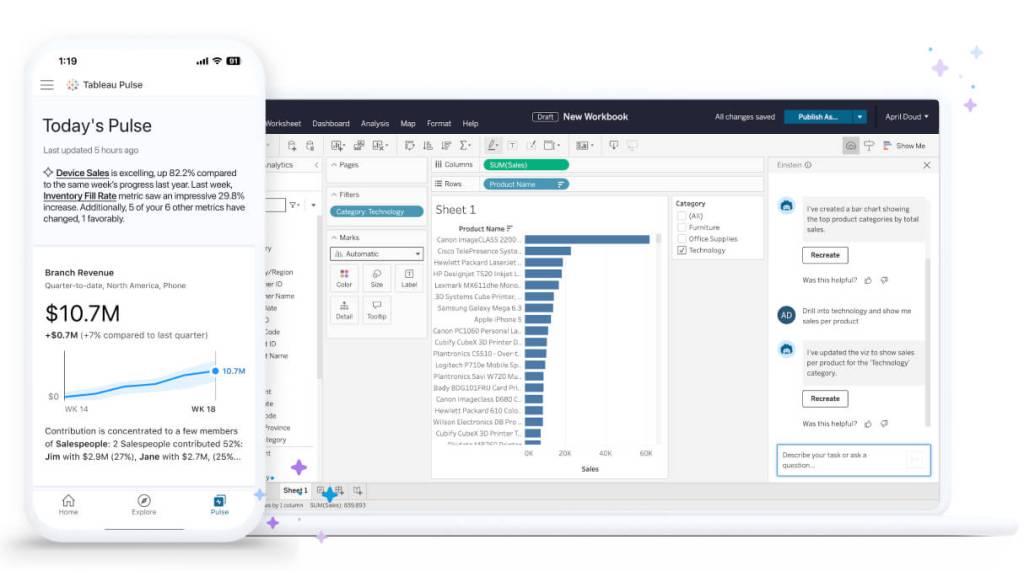
Tableau embeds AI into business intelligence and data analytics. It helps analysts prepare data and helps business users get insights through natural language queries.
The platform sits in AI Agents work. It connects to Salesforce and runs on Tableau Cloud with Tableau+ licensing for full AI features.
It is expensive and complex. You need budget, training time, and dedicated admins to make it work.
Open it if you run enterprise BI with Salesforce. Skip it if you want fast, simple dashboards without IT overhead.
Who Tableau is best for
It fits when you have the infrastructure to support it.
- Enterprise teams with dedicated admins and analysts: You get governed, standardized visualizations. You need people who know the tool deeply.
- Organizations heavily invested in Salesforce: The integration is genuinely useful. AI features like Einstein Discovery only work with Salesforce and Data Cloud.
- Teams needing proactive monitoring through Slack: Tableau Pulse pushes anomaly alerts and plain-English summaries to Slack. You catch spikes before monthly reports.
- Companies with budget for training and infrastructure: You pay $75/user/month for Creator licenses plus Salesforce stack costs. You also pay for months of training.
- Data analysts needing advanced customization: You get control over calculated fields, LOD expressions, and semantic layers. You trade ease-of-use for precision.
- Organizations with compliance requirements needing audit controls: The Einstein Trust Layer provides data masking and audit safeguards. You meet compliance without building it yourself.
- Healthcare and retail organizations doing time series forecasting: Predictive analytics use ARIMA and exponential smoothing. You get automatic model selection.
- HR teams needing sophisticated interactive workforce dashboards: Natural language queries let non-technical leaders ask "turnover by department this quarter" and get board-ready charts.
Best things about Tableau
These parts work well once you are set up.
- Natural language queries in Ask Data: You type plain questions and get charts back. It handles basic queries fast.
- Proactive monitoring with Tableau Pulse: You get anomaly alerts and goal tracking pushed to Slack. You spot issues early.
- Drag-and-drop visualization builder: You build professional charts without code. The interface works once you learn it.
- Deep Salesforce integration: You connect CRM data directly. AI features and Data Cloud sync actually function.
- Customizable AI insights with Data Stories: You define dimensions and measures across six tabs. You control the narrative output.
Why you should ignore it
Skip it when these limits match your situation.
- Steep learning curve: Business users need months of training. You do not get self-service without investment.
- Expensive stack requirements: You need Tableau+, Salesforce org, Data Cloud, and admin access. Small teams cannot casually assemble this.
- Performance slows with complexity: Dashboards lag with multiple filters, blended sources, or large datasets. You hit limits quickly.
- Embedded analytics needs coding: You write code and wrestle with workarounds. It is not plug-and-play.
- Confusing AI branding: Einstein, Copilot, Tableau Agent, Tableau Next—names keep shifting. You hesitate to build workflows around features that rebrand.
- English-only language support: You cannot use natural language queries in other languages yet.