
Singify
Freemium
Generate original songs, instrumentals, and AI covers by entering text prompts, lyrics, or uploading audio—then customize voices, styles, and export studio-ready tracks in minutes.
About
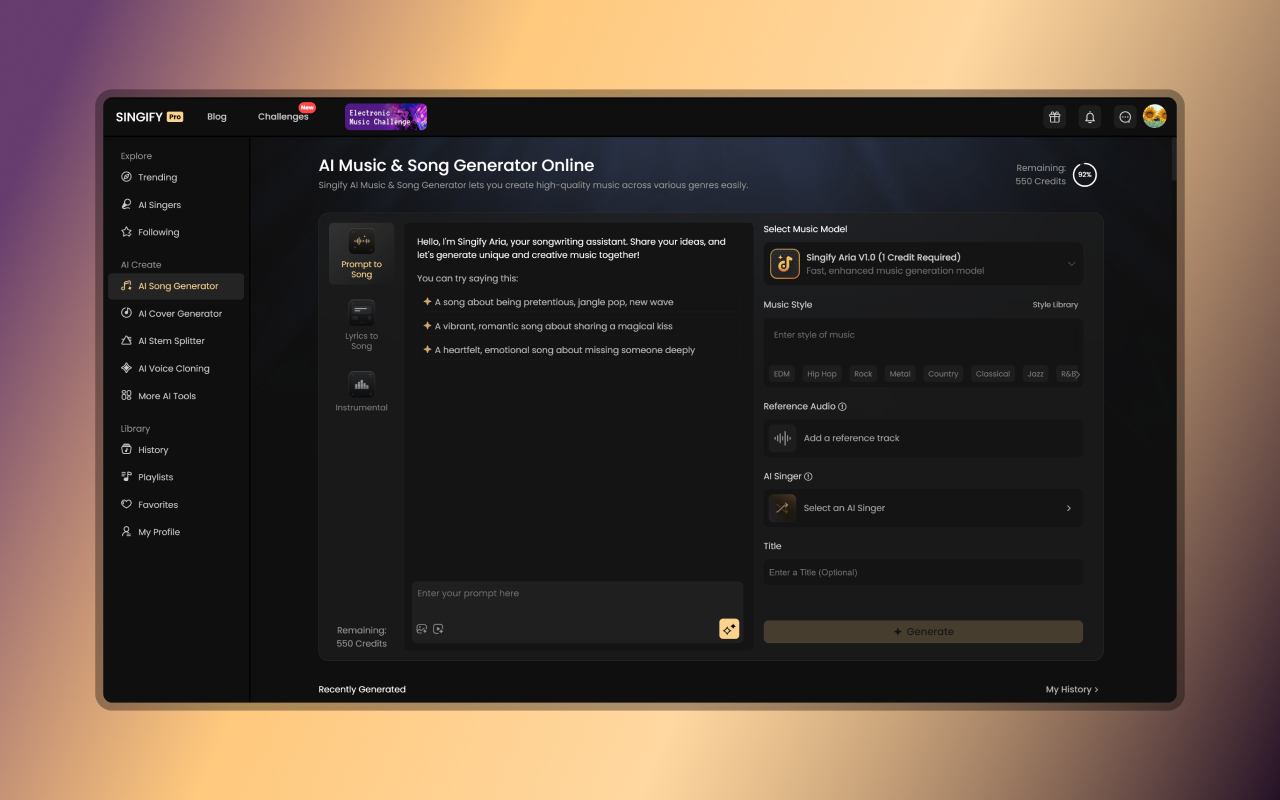
Singify is an AI music generator that makes songs, covers, and backing tracks. You type a prompt, upload audio, or add lyrics. It returns a finished track you can download.
You can swap in AI voices that sound like celebrities or characters. You can also clone your own voice and make it sing.
It sits in music generation work. It helps people who cannot play instruments or use studio software.
Open it if you need quick music or vocal covers without production skills. Skip it if you need professional audio or worry about billing surprises.
Who Singify is best for
It fits when you want results without learning complex tools.
- Casual creators making meme covers: You get a recognizable voice on a popular song fast. You share it straight to social media.
- Lyricists without production skills: You write words and get full music behind them. You skip hiring a producer.
- Content creators needing quick background tracks: You generate instrumental music from a text prompt. You drop it under your video.
- Musicians needing stem isolation: You split a song into vocals, drums, bass, and other parts. You practice with the track or remix it.
- Users wanting to experiment with AI vocals: You try different voice models to hear how a song sounds. You explore without buying gear.
- Fans of AI covers and voice experiments: You hear familiar songs in cartoon or celebrity voices. You make content for personal enjoyment.
Best things about Singify
These are the parts that keep you coming back.
- Full-length song generation: You get up to 4.5 minutes of music from a text prompt. You have enough for a full demo or background track.
- stem splitting: You separate a song into up to 10 parts. You pull out vocals for practice or isolate instruments for remixing.
- Voice cloning: You train an AI singer on your own voice. You hear yourself sing without recording in a studio.
- YouTube integration: You paste a link and get a cover version. You skip downloading and re-uploading files.
- 1000+ voice models: You pick from characters, celebrities, and original AI voices. You find a match for almost any idea.
How you use Singify
The path is simple.
- Pick a generation mode: prompt to song, lyrics to song, or cover.
- Choose a voice model or upload your audio.
- Add your prompt, lyrics, or YouTube link.
- Wait for generation, then preview the result.
- Download the full track, stems, or instrumental.
Why you should ignore it
Skip it when these limits would block you.
- Secret recurring charges: You buy credits and find monthly bills later. You struggle to cancel through the advertised flow.
- Near-zero free tier: You get 10 minutes per month or 2,000 credits that burn fast. You cannot test properly without paying.
- Unresponsive support: You need help and get no reply. You solve billing or quality issues alone.
- Legal gray areas: You make covers with celebrity voice models. You face uncertain rights status for commercial use.
- Variable output quality: You get some good results and some that sound synthetic. You spend credits on failed generations.