
reap
Freemium
Convert long videos into short clips with AI-generated captions, dubbing in 80+ languages, and direct publishing to social platforms, accessible via web app, API, CLI, or MCP.
About
reap is an AI video editor that turns long videos into short clips. It works in Video Editing. You upload a long video, describe what you want, and it gives you clips with captions and reframed shots.
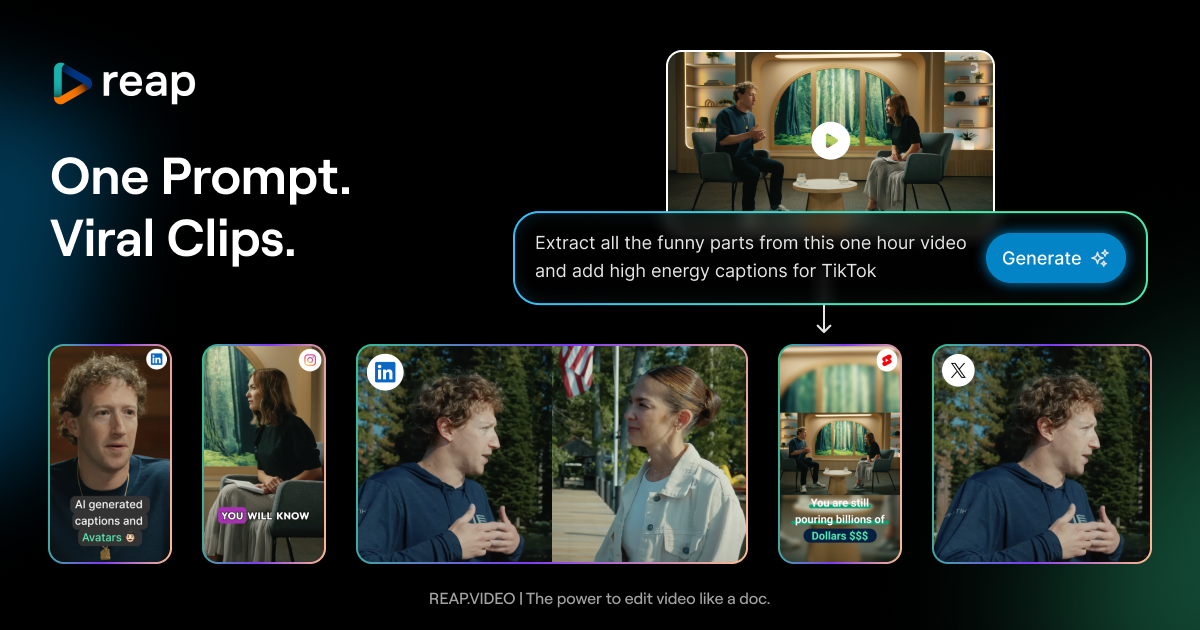
The main hook is prompt-based clipping. You type what moments you need—topics, hooks, speaker bits—and the AI finds them. It adds animated captions, reframes for vertical video, and keeps faces centered.
It goes heavy on language features. 100+ languages for subtitles, 80+ for AI voice dubbing. It can publish straight to TikTok, Reels, Shorts, LinkedIn, Facebook, and X.
Open it if you need fast clips from long talking videos and you want an all-in-one tool. Skip it if you need fine control over editing or you work with gaming, music, or vlog content without dialogue.
Who reap is best for
It fits when your job is turning long content into short content.
- Technically comfortable users building API-driven automated workflows: The API, CLI, and MCP hooks let you wire it into larger systems. You can build pipelines that run without you.
- Solo creators with backlog of long-form content to repurpose: You have hours of podcasts, interviews, or lectures sitting there. This gets you clips without starting from scratch each time.
- Podcasters using 'Talking' mode for clean speaker-switching clips: The AI model for dialogue keeps speakers clear and switches between them smoothly. You get usable cuts without manual scene detection.
- Users prioritizing responsive support over polished UX: The team fixes bugs fast and you can reach real humans. The trade-off is a rougher interface than competitors.
- Creators needing multi-language dubbing and captioning: You want one tool that captions, dubs, and publishes. This does all three without exporting to other services.
- Marketing agencies managing multiple clients and platforms: You can handle several accounts and push to different social platforms from one dashboard. The content calendar keeps schedules visible.
- Educators and coaches turning lectures into social content: Long teaching videos become short takeaways. The transcript editor lets you cut by deleting text.
- SaaS founders repurposing demos and founder interviews: You record once and mine it for clips. The virality scoring helps you pick which moments to push.
- Digital marketing agencies handling multiple clients with batch processing needs: You process several videos at once and keep branding consistent across accounts.
- Course creators extracting promotional clips from educational content: Your full lessons become ads and trailers. The AI finds the hook moments you would miss.
Best things about reap
These are what you notice after using it.
- Prompt-based clipping: You describe what you want instead of scrubbing timestamps. It gives you multiple options to choose from.
- Transcript-based editing: You delete text and the video cuts with it. It feels like editing a Word document.
- Fast time to first clip: It runs 4–5 minutes for a typical video versus 25+ minutes on some competitors. You get feedback sooner.
- Detailed virality scores: The AI tells you why a clip might work or fail. You get reasons, not just numbers.
- Voice-cloned dubbing in 80+ languages: It clones your voice and translates. The pacing stays natural in languages you do not speak.
- Smart speaker tracking: Faces stay centered when it reframes for vertical. You do not fight with manual crops.
How you use reap
The flow is direct.
- Upload your long video or paste a YouTube link.
- Pick a content model: Talking, Presentation, Gaming, or Cinema.
- Describe the clips you want in the prompt box.
- Wait for the AI to generate clips with captions and scores.
- Review, edit the transcript if needed, and publish or schedule to your platforms.
Why you should ignore it
Skip it when these limits matter.
- Slow processing for long videos: A 32-minute video can take an hour or more during peak times. You cannot rush it.
- Rough interface for beginners: Navigation is not intuitive. Project views reset when you switch tabs. You need patience or technical comfort.
- Weak with non-dialogue content: Gaming without commentary, music videos, and vlogs confuse the AI. It is built for talking.
- Missing polish tools: Filler word removal and noise removal are not live yet. You clean audio elsewhere.
- Scheduling reliability issues: YouTube connections drop without warning. You need backup plans for publishing.