
ProWritingAid
Freemium
Write and edit with AI-powered suggestions for grammar, style, and rephrasing, using seven modes including formal, informal, and sensory options, in Google Docs, Word, or the desktop editor.
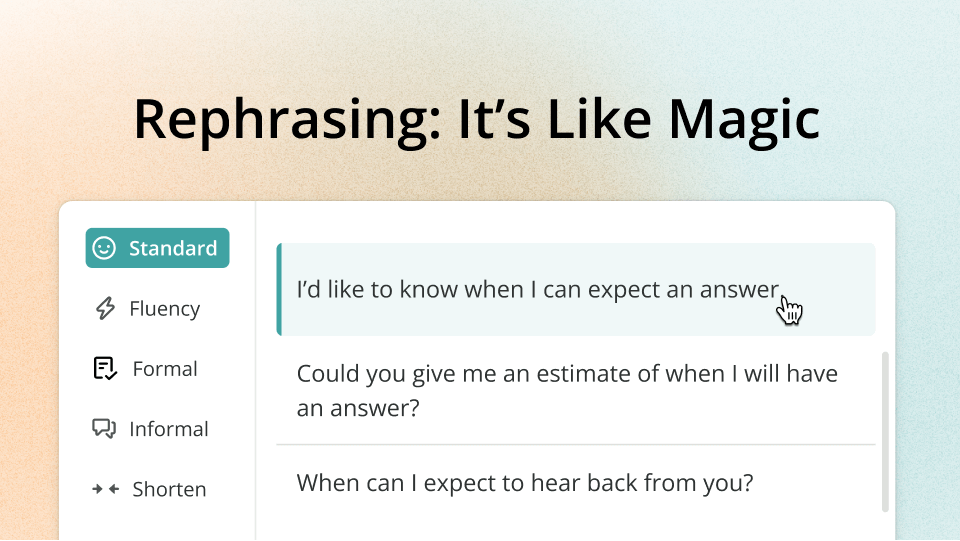
ProWritingAid is a writing assistant that checks grammar and suggests rephrasings. It runs deep reports on your prose—20 or more covering style, structure, pacing, and word patterns. You get it as a browser extension, web editor, or desktop app. It plugs into Google Docs, Word, and Scrivener.
The tool costs more than Grammarly for monthly plans, but offers a lifetime deal. Free users hit a 500-word limit and 10 rephrases daily. Full access needs Premium or Premium Plus.
It suits fiction and long-form work. It frustrates people who want fast, light editing.
Open it if you want to study your writing patterns and fix mechanical issues before hiring an editor. Skip it if you need quick blog edits or a clean mobile workflow.
Who ProWritingAid is best for
It helps specific people do specific jobs.
- Fiction writers: You get reports on pacing, dialogue tags, and sentence variety that basic checkers skip. You spot habits you did not know you had.
- Writers wanting deeper craft analysis: You see pronoun percentages, alliteration counts, and glue word detection. You learn why something is flagged, not just what to fix.
- Those prioritizing depth over speed: You wait longer for results. You trade speed for detail you actually use.
- Writers needing mechanical line editing assistance: You catch repetition, awkward phrasing, and sticky sentences. You clean up drafts before human eyes see them.
- Indie authors on tight budgets seeking basic prose cleanup: You pay once for lifetime access. You skip subscription creep.
- Writers who struggle with specific issues like pronoun overuse or sentence length variety: You get visual charts and counts. You see your patterns clearly.
- Those willing to filter through extensive suggestions to find genuine issues: You ignore false positives. You keep the gems.
- Dyslexic writers or others who need thorough proofreading: You catch what your eyes skip. You get more thorough flagging than faster tools.
- Non-native English speakers with decent language skills who need a second opinion: You get rephrasing help and grammar checks. You find it gentler than Grammarly on longer articles.
Best things about ProWritingAid
These are the parts you notice after using it.
- More detailed analysis than Grammarly: It does not just underline errors. It shows 20+ reports on how you write. You study your own habits.
- Useful visual sentence length analysis: You see a bar chart of your sentence variety. You spot chunks of same-length sentences you would miss.
- Pronoun and sentence-start tracking: You flag overuse patterns. You stop starting every sentence with "He" or "She."
- Extensive explanations for each check type: You read why something is flagged. You learn craft, not just apply fixes.
- Lifetime payment option: You pay once and own it. You drop the subscription treadmill.
Why you should ignore it
Skip it when the fit is wrong.
- Slower interface: You wait for reports to run. You get frustrated if you need fast turnaround.
- More expensive than Grammarly on monthly plans: You pay $30/month for Premium Plus. You find Grammarly cheaper for the basics.
- Overkill for quick blog and marketing editing: You drown in reports you do not need. You spend ten minutes on a five-minute job.
- 4,000-word daily limit: You cannot analyze a complete short story or scene in one go. You break your work into chunks.
- Overwhelming volume of reports: You face false positives and decision fatigue. You spend energy ignoring bad suggestions.
- Rephrase suggestions often flatten voice: You lose your tone. You change meaning by accepting blindly.
- No native mobile apps: You cannot edit on your phone. You need desktop or browser only.
- Plagiarism checks cost extra: You pay more on top of subscription. You do not get all-in-one pricing.