
Prompt Builder
Freemium
Generate model-specific AI prompts in a browser-based workspace, refine them in built-in chat, and save reusable instructions with full version history.
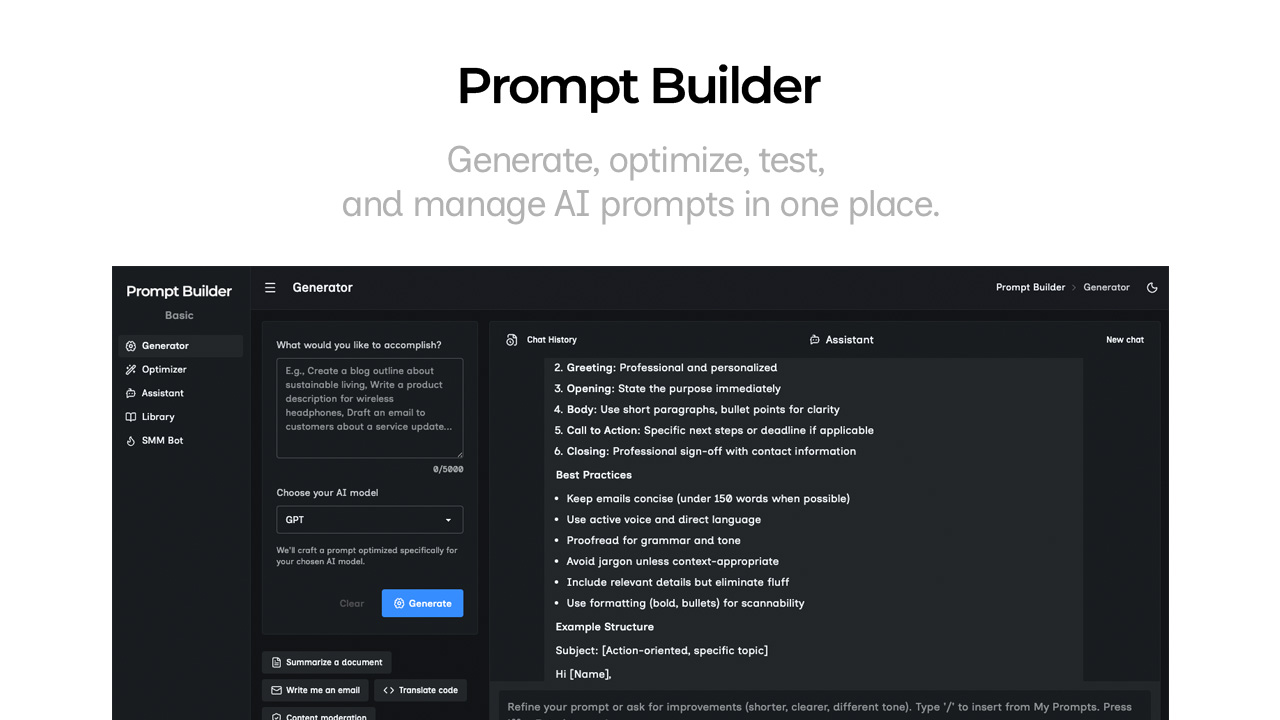
Prompt Builder is a free web app for building and organizing prompts that work with specific AI models.
About
I have been using Prompt Builder to stop losing good prompts and starting from scratch every time.
The tool sits in prompt engineering. You drag blocks together to build structured prompts. You pick a target model—ChatGPT, Claude, Gemini, Grok, DeepSeek, Perplexity, Cohere, or Mistral—and get output tuned for how that model reads.
The free tier has no credit card wall. There is a browser extension. A built-in assistant lets you test prompts without burning tokens in your main AI account.
Open it if you work across models and need prompts you can reuse. Skip it if you script prompts by hand or need deep team workflows.
Who Prompt Builder is best for
It fits when you are doing this work.
- Developers or analysts: You need consistent prompts without learning prompt engineering syntax.
- Marketers and creators: You treat prompts as assets you reuse across campaigns and platforms.
- Solo operators and small teams: You outgrow scattered docs and lost versions.
- Multi-model users: You want prompts that adapt to GPT, Claude, Gemini, or others without manual rewrites.
- Agencies with multiple clients: You need shared libraries with exports and folder organization.
Best things about Prompt Builder
These are what keep me coming back.
- Drag-and-drop blocks: You build complex prompts without wrestling with brackets or tags.
- Prompt Optimizer: You paste a messy prompt and get back something clean and structured.
- Reusable Instructions: You set voice and tone once, then drop them into any prompt.
- Built-in chat workspace: You test and refine without leaving the tab.
How you use Prompt Builder
The workflow is simple.
- Describe your task in plain language.
- Pick your target AI model.
- Fill structured fields for role, context, and constraints.
- Save to your library or test in the Assistant.
Why you should ignore it
Skip it when these apply.
- You script prompts by hand: The visual blocks slow you down.
- You need IDE or CMS integrations: There are none.
- You need strong team governance: Role-based access is light, and collaboration is limited.
- You rely on community prompts: There are no upvotes, usage counts, or clear quality signals.
- You use keyboard shortcuts heavily: They are inconsistent across Generator, Optimizer, and Tester.