
MindStudio
Freemium
Build and deploy AI agents through a visual, no-code interface, with optional coding extensions, using templates, multiple AI models, and extensive integrations.
About
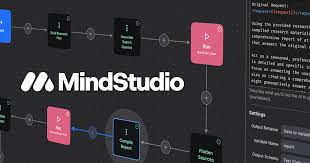
MindStudio is a visual, no-code platform for building AI agents. You drag blocks together to make something that reasons, answers, and runs tasks. It sits in AI agent work, not simple chatbots.
You start from over 100 templates or build fresh. The free tier lets you build and test one agent. Paid plans add more agents and execution, but model calls cost extra on top.
You do not need to code. You can add code later if you want. The tool works for personal use, teams, or company-wide deployments.
Open it if you want to build an AI workflow without a developer. Skip it if you need to own the code or run agents outside their system.
Who MindStudio is best for
Some jobs fit better than others.
- Beginners learning AI agent building: The visual builder is easier to read than raw code. You see how steps connect.
- Freelancers and small businesses without dev resources: You get a working tool without hiring. You still pay for model use as you scale.
- Marketing and sales teams automating everyday tasks: You chain prompts and data pulls. You cut the manual work between apps.
- Agencies and AI consultants delivering client workflows: You prototype fast in front of clients. You show working versions in minutes.
- Developers who want fast prototyping before custom builds: You test the logic before you write it yourself. You save time on bad ideas.
- Non-technical business owners and operations teams: You make tools for your own pain points. You do not wait for IT.
- Product managers needing custom AI tools without engineering: You ship internal tools. You prove value before asking for dev time.
- Users wanting chained AI workflows without coding: You nest logic so one agent triggers another. You handle multi-step jobs.
- Anyone willing to work around reliability issues for the formatting benefits: You retry when it fails. You accept the trade for clean output.
Best things about MindStudio
These parts keep you coming back.
- Drag-and-drop that actually works: You build in 15 minutes to an hour. You see a preview while you work.
- 200+ model integrations: You pick GPT-4, Claude, Gemini, or others per step. You avoid getting stuck with one vendor.
- Source lists and clear structure: Research agents give you a bibliography. You verify instead of trust.
- No-code frontend customization: You change the look without CSS. You deploy as a web app or embed.
- 1,000+ pre-built integrations: You connect to tools you already use. You skip building connectors.
- Nested AI logic chains: You make one agent call another. You handle complex flows without code.
How you use MindStudio
The path is short once you push through the first screen.
- Pick "Create New Agent" or choose a template.
- Drag in user input blocks for images, text, or files.
- Add AI model steps and pick your provider.
- Chain steps with logic blocks for branches.
- Preview, test, and deploy as a web app or embed.
Why you should ignore it
Skip it when the limits matter.
- Platform lock-in: Your agent lives in their system. You cannot export it to run elsewhere.
- Limited ceiling for complex work: Multi-agent workflows and isolated runtimes are not built in. You hit walls on advanced projects.
- Unpredictable costs: Model calls charge per use on top of your plan. Heavy use gets expensive fast.
- Reliability issues: Testing showed roughly 40% failure rates on some agents. Slow compiles burn time and credits.
- Shallow UX customization: You cannot fine-tune the interface for advanced needs. You get their look or nothing.