
Krisp
Freemium
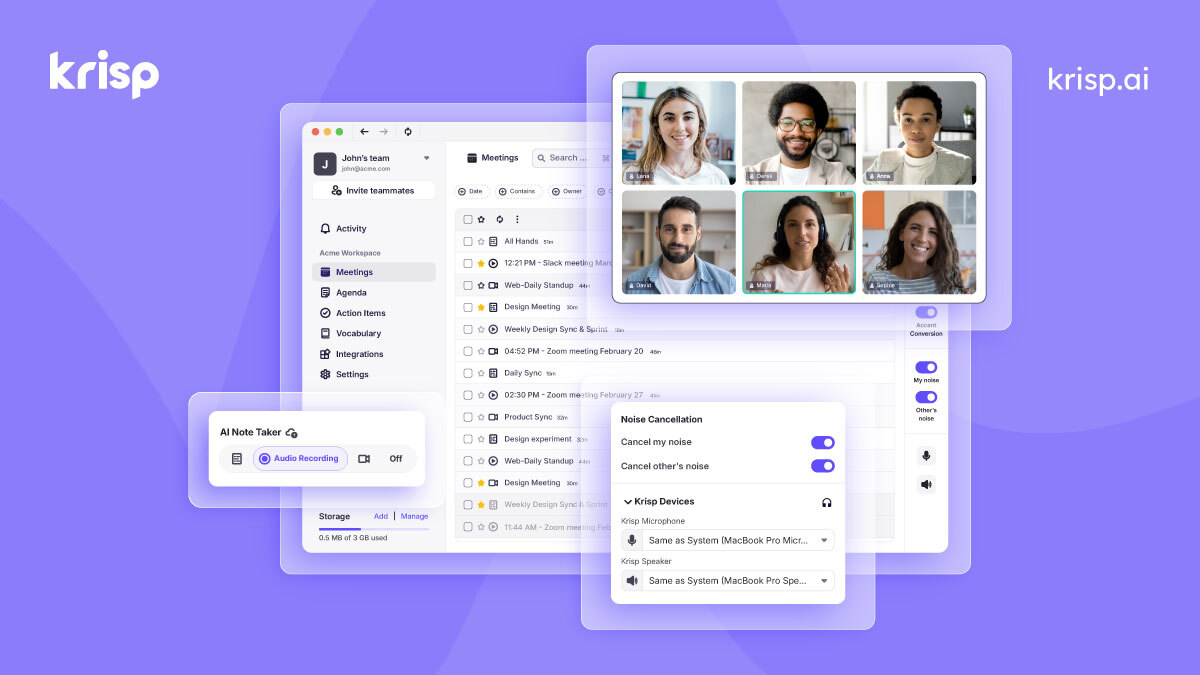
Join meetings with noise cancellation running, get live transcripts, and receive AI-generated summaries and action items synced to your CRM or Slack afterward.
About
Krisp is a desktop app that cleans your audio and takes notes from meetings. It sits between your microphone and your apps, filtering noise in real time.
It also records, transcribes, and summarizes what gets said. The transcription happens after the call, not during.
This is transcription and meeting notes work, with a heavy focus on audio quality first.
Open it if you need clean audio without a recording bot. Skip it if you need video replays or work mostly on mobile.
Who Krisp is best for
These are the people who get the most from it.
- Privacy-conscious users: Your audio processes on your device first. Nothing ships to the cloud until you choose.
- Sensitive client calls where visible recording is inappropriate: No bot joins the meeting. You record without anyone seeing a third-party participant.
- People in noisy environments: Fans, keyboards, coffee shops, leaf blowers—Krisp scrubs them out while you talk.
- Remote workers and freelancers with several hours of calls daily: The noise cancellation holds up through long days. Transcripts and action items save you from note-taking fatigue.
- International teams across multiple timezones and accents: Accent conversion helps both sides understand each other better.
- Product managers and consultants who need searchable meeting records: Everything becomes text you can search and export.
- Customer-facing teams in noisy environments: Call centers win here. Clean audio means fewer repeated sentences and happier customers.
- Teams wanting post-meeting task management: Krisp pulls out action items and can push them to your tools.
- Users wanting in-person notes without adding another vendor: Record on your phone, upload, and get the same transcript and summary.
- Healthcare and financial services needing compliance certifications: SOC 2, GDPR, and HIPAA compliance are built in.
Best things about Krisp
These are what you notice after using it.
- Noise cancellation that actually works: It handles real chaos—barking dogs, espresso machines, construction outside. Your voice stays natural.
- Bot-free recording: No awkward "Krisp Assistant has joined" moment. The conversation stays normal.
- Accurate transcription with good punctuation: It catches pauses and puts commas where they belong. Speaker labels keep voices separate.
- Searchable records with timestamps: Click a timestamp to jump straight to that moment in the audio.
- Accent conversion: Bidirectional help for global teams. Your accent gets smoother for the listener, and theirs becomes clearer for you.
How you use Krisp
The setup is short, then it runs in the background.
- Install the desktop app and set Krisp as your microphone and speaker in your meeting app.
- Join your meeting normally. The noise cancellation starts automatically.
- Click record if you want a transcript. Krisp captures audio without joining the call.
- After the call, read the transcript, summary, and action items in the app.
- Export or sync to Slack, HubSpot, Salesforce, or wherever you track work.
Why you should ignore it
Skip it when these limits matter to you.
- Audio-only, no video: Screen shares and visual context disappear. Design reviews and demos lose their value without the picture.
- Heavy on system resources: One user reported 1.4GB of RAM on standby. Older laptops struggle. CPU usage spikes during long calls.
- Desktop-only for the good stuff: Mobile apps have no noise cancellation. The full power stays on Mac and Windows.
- Short free trial: Seven days, then you pay. No ongoing free tier for testing.
- Weak language support outside the core 16: Hindi and other languages need heavy cleanup. Accuracy drops hard beyond the main set.
- Persistent app behavior: Some Mac users report trouble uninstalling. The app restarts itself and creates calendar events without asking.