
Hexofy
Paid
Capture data from any web page with one-click web scraping in a browser extension, and run AI tasks on extracted content or the current page.
About
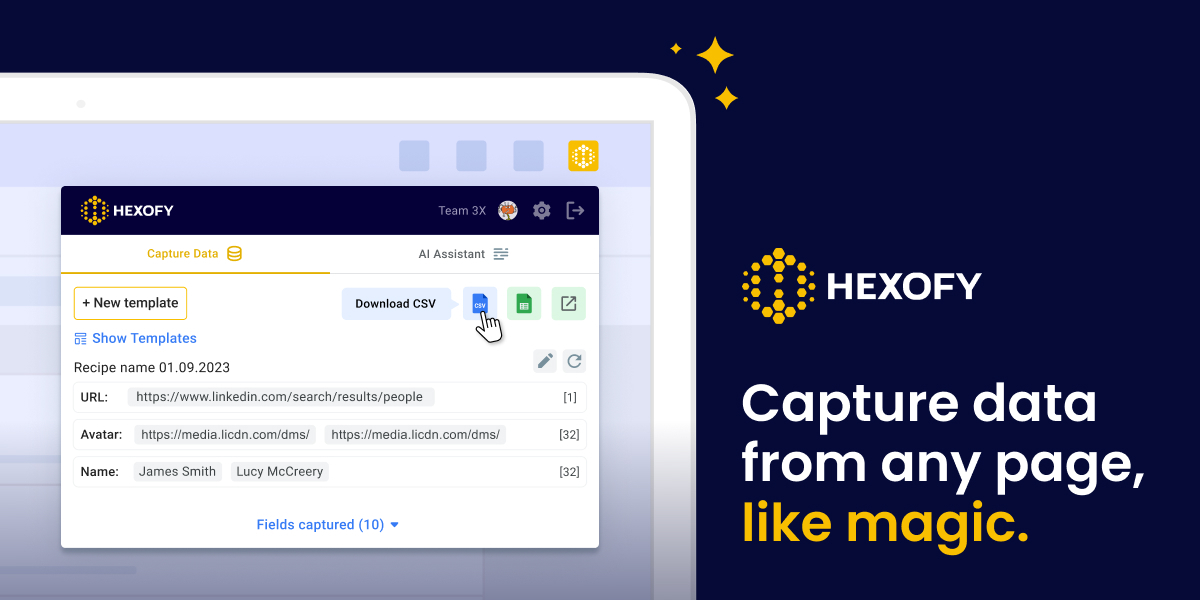
Hexofy is a browser extension for simple web scraping. It sits in your toolbar and grabs data from pages with one click. No code. No setup.
You browse to a page with leads, products, or posts. You click once. The data lands in a spreadsheet.
It fits quick tasks that do not need a full scraper. It is weak for jobs that need scale or scheduling.
Open it if you want to skip copy-paste on small jobs. Skip it if you need to scrape thousands of pages on repeat.
Who Hexofy is best for
It helps most when you want speed over power.
- SDRs building short prospect lists: You grab contacts from one page at a time. You skip the copy-paste loop.
- Marketers pulling competitor data: You check a few rival pages. You get numbers fast without a scraper build.
- Founders doing informal market research: You want data now. You do not want to learn Python.
- Social media managers repurposing content: You pull posts or tweets. You move them to your next step.
- SEO professionals automating tasks: You grab page data often. The click beats the manual route.
- Non-technical users who need browser-based scraping: You work in Chrome or Firefox. You do not touch code.
- Researchers doing one-time extraction: You need data once. You do not pay for a monthly scraper seat.
- E-commerce sellers comparing products: You check prices or specs across marketplaces. You note what you find.
Best things about Hexofy
These are the parts you notice after a few tries.
- One-click extraction: You click once. The data shows up. You skip the copy-paste dance.
- Direct Google Sheets link: Your data flows straight to a sheet. No CSV export headache.
- Point-and-click setup: You do not write selectors. You do not read docs. You just click.
- Works in browser: No install besides the extension. No local tool to manage.
How you use Hexofy
The path is short.
- Install the extension in Chrome or Firefox.
- Browse to a page with data you want.
- Click the Hexofy icon in your toolbar.
- Pick what to extract from the options it shows.
- Review and send the data to Google Sheets.
Why you should ignore it
Skip it when the limits hit your job.
- The AI is weaker than it sounds: The "GPT" feature needs login. It does not read the page. It is just a chat wrapper.
- No clear price on the site: You may need to contact sales or sign up to see cost. Some users paid around $12/month.
- Stale development: The extension has not updated in over a year. Bugs may stick around.
- Small user base: Few users mean thin forums. You fix issues alone.