
GPTZero
Freemium
Scan text and documents to detect AI-generated content, view writing replay videos to verify authorship, and check plagiarism through a web app, browser extension, or integrated classroom tools.
About
GPTZero is an AI content detector built for education work. It aims you at one question: did a person write this, or did a model?
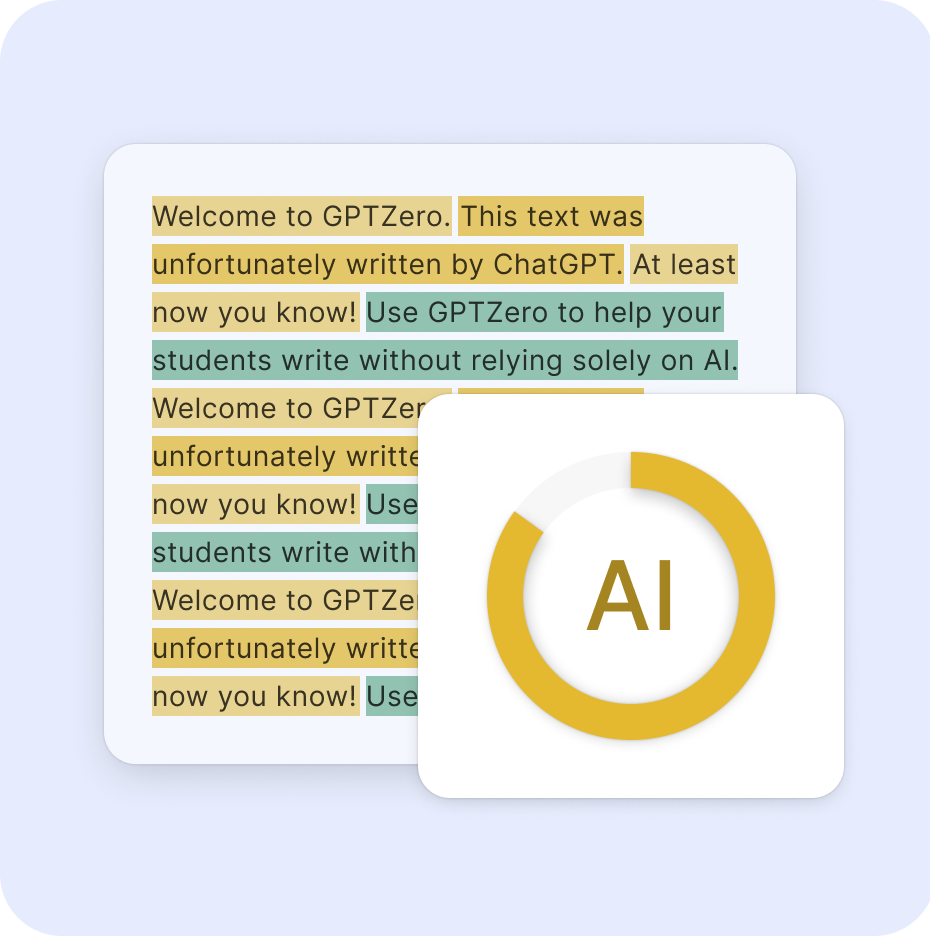
You paste text or upload a file. It returns a percentage score and highlights sentences it thinks came from AI.
It lives in a browser, as a Chrome extension, and inside Canvas and Google Classroom. That is where it fits.
Open it if you need a fast screen to start a conversation. Skip it if you need proof you can defend in a hearing.
Who GPTZero is best for
It helps most when you need a first look, not a final word.
- Teachers who need to review student writing when authorship questions arise: You get a scan you can show a student. You still use your own judgment.
- Educators wanting objective evidence to support conversations about academic integrity: The score gives you something concrete to point to. The talk stays fair.
- Users needing quick web-page analysis via browser extension: You spot-check text anywhere without leaving the tab. One click and you see a readout.
- Educators needing fast percentage readouts for screening: You batch-check a pile of submissions. The colors sort the urgent from the safe.
- Users who want typing-history proof as alternative evidence: The Writing Replay shows keystrokes over time. A video-like log beats a percentage.
- Schools and teachers using Canvas, Google Classroom or Moodle: It sits inside the tools you already use. No new login chain.
- Publishers checking freelance work who want detection and plagiarism in one account: You run both checks from the same place. Less hopping between tools.
- Budget-conscious users with straightforward AI detection needs: The free tier handles light use. You pay only when volume hits.
- Educators prioritizing fairness and minimizing false accusations: The design pushes you toward conversation, not accusations. That is built into how it shows results.
- Teams needing sentence-level justification for editorial decisions: You point to exact lines when you push back. The highlight is your evidence.
Best things about GPTZero
These are the parts you notice after you run a few scans.
- Sentence-level highlighting: You see which lines triggered the flag. You do not guess what the score means.
- Writing Replay: You get a video-like log of the document being typed. That is proof of process when the score alone will not do.
- Built-in LMS hooks: It lives inside Canvas and Google Classroom. You do not export and import.
- Chrome extension: You check text on any web page without copy-paste. It runs where you already read.
- ESL debiasing option: It tries harder not to flag non-native English as machine. That is a real pain point with detectors.
How you use GPTZero
The path is short.
- Paste your text or upload a document.
- Wait for the percentage and the highlight map.
- Click into sentence view if you need to explain a flag.
- Run Writing Replay if the scan is contested.
- Export or screenshot what you need for your record.
Why you should ignore it
Skip it when the stakes are high and the error rate hurts.
- It flags real human writing as AI: Non-native English writers see false positives near 60%. Even native writers get caught.
- It misses edited AI text: Light humanization drops its catch rate by 70%. A polished essay sails through.
- The score is not a verdict: It gives numbers that look decisive. The company warns against using them punitively.
- Free limits are tight: Heavy use pushes you to paid tiers. The jump is steep for what you get.