
Ellie
Paid
Connects to Gmail or Outlook to automatically draft email replies overnight in your voice, letting you review and send from your existing inbox.
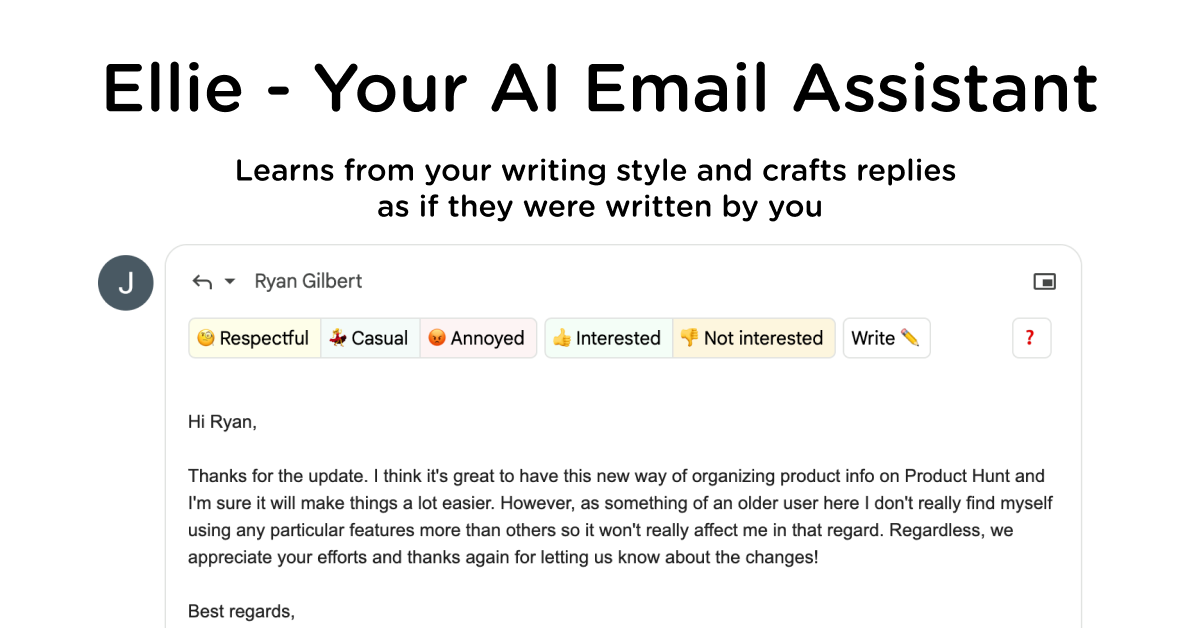
Ellie is an AI email assistant that works inside Gmail and Outlook. It reads your sent mail to learn how you actually write. Then it drafts replies overnight that show up in your inbox by morning.
About
Ellie is built for one painful job: email overload. You connect your inbox and it studies your tone, greetings, sign-offs, and quirks. After a short learning period, it starts sounding like you instead of a template.
You set categories in plain words to control which emails get drafted and which voice to use. A brisk tone for invoices. A warmer tone for sales questions. You can also hook it to knowledge bases or your CRM so facts land in drafts automatically.
It is a browser extension and web app. There is also a native Outlook add-in. Ellie does not store your email content or train general models on your data.
Open Ellie if you send enough mail that drafting fatigue is real. Skip it if you only reply to a few emails a day.
Who Ellie is best for
It fits when your inbox is the bottleneck.
- Busy professionals drowning in email: You wake up to drafts already waiting. You skim, tweak, and send.
- Sales and support teams with repetitive questions: You stop typing the same answer ten times a day. Ellie learns your patterns.
- Non-native English speakers: You get help with tone and phrasing that sounds natural, not translated.
- People with reply anxiety or dyslexia: The blank page is hard. A first draft gets you moving.
- Solo professionals with predictable reply volumes: Your style is consistent enough for Ellie to copy.
- Small teams needing one voice across inboxes: Everyone sounds like the same person, even when they are not.
- Users tired of bloated software: You stay in Gmail or Outlook. No new dashboard to check.
- People who want less friction: The AI works overnight, not while you watch it think.
Best things about Ellie
These are the parts you notice after a week of use.
- It learns your actual voice: It reads up to 200, 1,000, or your full archive of sent mail. The drafts stop sounding generic after a day or two.
- One-click tone shifts: You can flip between respectful, casual, or annoyed without rewriting. Same facts, different relationship.
- Custom roles and knowledge bases: You feed it documents or URLs. It pulls the right facts into drafts without you searching.
- It lives where you work: Drafts appear in your Gmail or Outlook drafts folder. You do not switch apps to find them.
- Privacy claims you can check: They say they do not store emails or train general models. You verify instead of trusting.
How you use Ellie
The setup is short.
- Connect your Gmail or Outlook account.
- Let it read your sent mail to learn your style.
- Set categories and tones for different email types.
- Wake up to drafts in your inbox.
- Read, tweak, and send.
Why you should ignore it
Skip Ellie when the fit is wrong.
- Low-volume email users: The tool admits this is not for you. The learning period is wasted if you barely reply.
- Fastmail or Apple Mail users: You get paste-only support, not full integration. The experience is second-class.
- People who need real-time prompting: Ellie drafts overnight. It does not write while you stare at a blank reply.
- Teams on tight budgets: There is no free tier. You pay from day one.
- Anyone who hates reviewing AI: These drafts need your eyes before sending. If you skip the check, you risk mistakes.