
Elephas
Freemium
Search, summarize, and chat with your documents in a private workspace on Mac, iPhone, and iPad, with local data storage, source-cited answers, and built-in sensitive data redaction.
About
Elephas is a private AI workspace for Mac that lets you search, summarize, and chat with your own documents without sending them to the cloud. It sits in the productivity space—specifically for people who need AI help with files they cannot risk leaking.
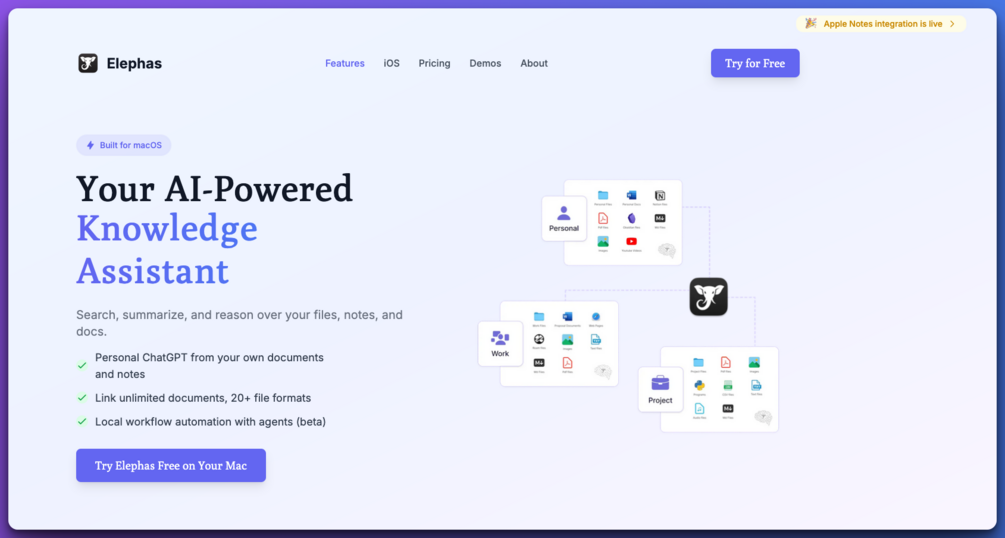
You drop in PDFs, Word files, spreadsheets, notes, even voice memos. The app builds a local index you query with natural language. It cites the exact source pages so you can check its work.
It is Mac-only and works best when you already live in the Apple ecosystem. It is not a web tool you open in a browser.
Open it if your documents are sensitive and you want AI that stays on your machine. Skip it if you need Windows support or heavy automation.
Who Elephas is best for
These are the people who get the most from it.
- Lawyers and accountants with confidential client files: You keep client data on your machine. The AI never sees names or account numbers unless you choose to share them.
- Researchers with sensitive documents: You can index your whole collection and ask questions across papers. The citations point back to the original files.
- Obsidian users who want local AI search: You can drop your vault into a "Brain" and query it without syncing to external servers.
- Mac users wanting an offline NotebookLM alternative: You download a local language model and run everything without an internet connection.
- Writers who hate switching apps for AI help: You hit a keyboard shortcut and rewrite, summarize, or continue text wherever you already are.
- Product managers juggling files in 20+ formats: You pull in PDFs, Word docs, Excel, Markdown, Notion pages, even Zoom transcripts into one searchable place.
- Privacy-conscious professionals who avoid cloud AI: You choose between local-only, bring-your-own API key, or Elephas's stripped gateway. You see exactly what gets redacted.
- Apple ecosystem knowledge workers: You use Mac, iPhone, and iPad and want your Brains to sync across devices without leaving the Apple stack.
Best things about Elephas
These are what keep you opening it.
- True offline mode on Apple Silicon: You download Llama 3, Mistral, or Qwen and nothing leaves your machine. This matters when you cannot risk a data leak.
- Transparent citations: Every answer shows which file and page it came from. You verify instead of trusting.
- System-wide hotkey access: You hit Control + / and rewrite an email, summarize a webpage, or continue a draft without changing windows.
- Smart redaction before any cloud request: Names, emails, and phone numbers get replaced with placeholders. You see the mask before it sends.
- Topic-based Super Brains: You organize files by project and query across everything in one brain. One for "Machine Learning," another for "Q4 Contracts."
How you use Elephas
The setup is quick.
- Install the app and choose your privacy mode: local, BYO API key, or Elephas gateway.
- Create a Super Brain and drop in folders or files you want to search.
- Ask a question in plain English and click citations to check the source.
- Use Control + / to summon AI help in any app you are already using.
Why you should ignore it
Skip it when these limits block your work.
- Windows or Android in your workflow: It is Apple-only. A Windows version is not here yet.
- Budget under $20/month: Unlimited access starts around that mark. The free tier lacks integrations.
- Need web access or complex automation: It does not browse the web for you. Workflow automation exists but is still in beta.
- Less than 16GB RAM for local models: You cannot run offline AI smoothly on older hardware.