
Elephas
Freemium
Index documents locally on Mac or iOS, query them through chat with cited answers, and use AI writing assistance across all your apps with automatic redaction of sensitive data.
About
Elephas is a knowledge management and AI writing assistant for Mac and iOS. It indexes your documents locally, then lets you chat with them or generate content across your apps.
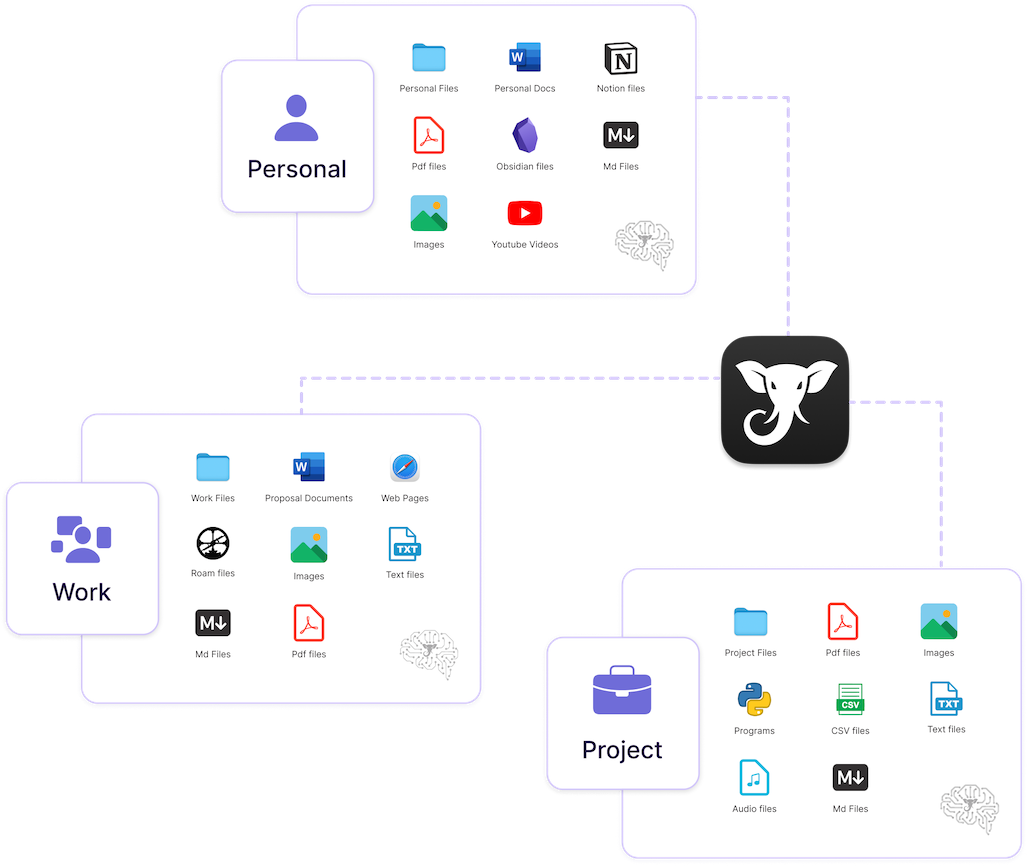
It creates "Super Brains"—searchable workspaces for PDFs, notes, contracts, and other files—with answers that cite actual sources. You stay in control: everything indexes on your machine, and you can run fully offline.
It sits in productivity work, specifically for people who need private access to their own document collections.
Open it if you handle sensitive documents and want AI that never sends your files to the cloud. Skip it if you use Windows or want web-based access.
Who Elephas is best for
It fits specific situations where privacy and document control matter.
- Professionals handling confidential client files: Your documents stay local by default. You can work with sensitive material without compliance headaches.
- Lawyers, accountants, consultants: You build searchable knowledge bases per client or case. The AI cites sources so you can verify every claim.
- Researchers with sensitive documents: You query across PDFs, transcripts, and notes without uploading them anywhere.
- Mac power users wanting system-wide AI assistance: You press a shortcut in Mail, Safari, Slack, or Notes to rewrite, translate, or summarize without switching apps.
- Obsidian users wanting local AI search: You drop your vault into a Super Brain and ask questions with cited answers.
- Writers who want inline assistance: You get help with tone and clarity without copying text to a browser.
- Privacy-conscious professionals: You can run local LLMs with zero network traffic, or use cloud AI with automatic redaction of names, emails, and account numbers.
- Apple ecosystem knowledge workers: Your brains sync between Mac, iPhone, and iPad for mobile access.
Best things about Elephas
These are the parts that stick after you use it daily.
- True offline mode on Apple Silicon: You download Llama, Mistral, or Qwen and run everything locally. No API calls, no data leaves your machine.
- Super Command system-wide shortcut: You hit Control + / in any app to rewrite, summarize, translate, or draft. The AI comes to you instead of pulling you to a browser.
- Super Brain with transparent citations: You ask questions across your documents and get answers with clickable source pages. You can check the original every time.
- Automatic redaction before cloud sends: Elephas replaces 28 types of sensitive data with placeholders before any external request, then restores them in the answer. You see exactly what was hidden.
- Multiple LLM options: You bring your own OpenAI or Claude key, use Elephas credits, or run local models. You choose your trade-off between power and privacy.
How you use Elephas
The setup is quick, then it fades into your workflow.
- Install the app and grant access to folders you want indexed.
- Create a Super Brain for a project, topic, or client.
- Drop in PDFs, Word files, notes, or point it at an Obsidian vault.
- Wait for local indexing to finish—this happens on your machine.
- Ask questions in the chat, use Control + / in any app, or switch to offline mode in settings.
Why you should ignore it
It is a poor fit for several common situations.
- Windows or Android user: Elephas is Mac and iOS only. The Windows version is still in development.
- Casual user on a budget: Subscriptions start around $15–19/month. The free tier lacks integrations you probably want.
- Someone who needs web research: Elephas has no web access. It only knows your documents, not the open internet.
- User with light RAM: Local LLMs need 16GB RAM. Without that, you rely on cloud modes.
- Person wanting continuous correction: Elephas works on demand via shortcuts. It does not watch and fix as you type.