
Eagle
Free
Collect, organize, and search design files and reference images using hierarchical folders, tags, AI search, and browser extension capture on macOS.
About
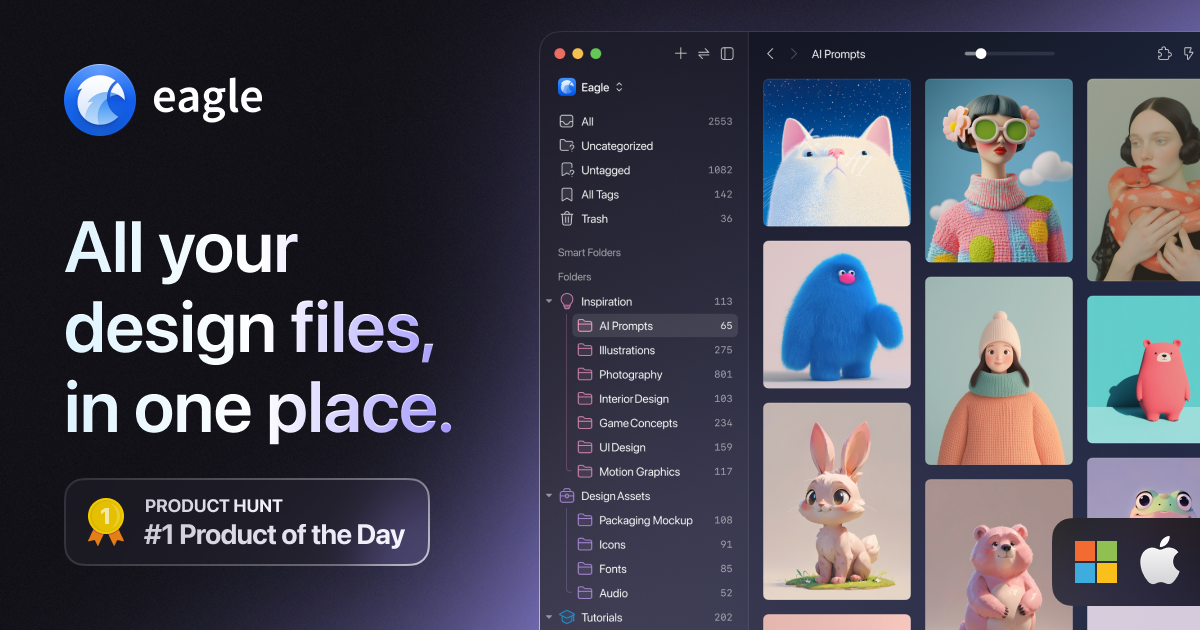
Eagle is a digital asset manager for design work. It sits on your Mac or PC and keeps your images, videos, fonts, and files in one local library.
You drag things in from your browser or folders. It tags them by color, size, and type. You search and find them fast without scrolling through endless folders.
It is desktop software. There is no mobile app. It works offline.
Open it if you hoard visual references and hate subscriptions. Skip it if you need team collaboration tools or cloud-first access.
Who Eagle is best for
It fits when you work alone or in small groups and speed matters more than fancy integrations.
- Designers building visual reference libraries: You collect from Dribbble, Behance, and random sites. The browser extension saves with one click and keeps the source URL.
- Solo graphic designers: You named files "final-FINAL-3.jpg" and lost them anyway. Eagle auto-tags by folder and suggests labels like "buttons" or "icons."
- Video editors reorganizing files often: You move things around and break file paths. Eagle uses soft links and metadata, so paths stay alive.
- Content creators with 100,000+ assets: Adobe Bridge choked on your library. Eagle searches sub-second even at large scale.
- Small teams sharing libraries: You need shared access without enterprise DAM pricing or monthly fees.
- Users avoiding subscription fatigue: You want to pay once and own it. $29.95, two devices, lifetime updates.
- UI/UX designers managing scattered assets: Your files lived across Pinterest, cloud folders, and screenshots. One library replaces the chaos.
- Web designers collecting inspiration daily: The drag-and-drop from browser to app is frictionless. You capture without thinking.
Best things about Eagle
These are the parts you notice after daily use.
- Sub-second search: You type and results appear. No waiting for cloud sync or folder drilling.
- Color search and dimensional filtering: You need a blue icon at 64px. You filter by color and size. It works.
- Browser extension for one-click capture: You grab images, videos, and entire page screenshots. Metadata saves automatically.
- 90+ file format previews: You hover or hit spacebar. PSD, AI, MP4, 3D objects, fonts. No launching other apps.
- Smart folders and auto-tagging: You set rules once. New items sort themselves.
- One-time price with real updates: You buy it. They keep shipping features. No rental model.
How you use Eagle
Your first hour with it.
- Install the app and browser extension. Import your scattered Downloads folder.
- Drop in your reference folders. Let it extract colors and dimensions automatically.
- Add tags and smart folders that match how you think about projects.
- Use the browser extension to grab inspiration as you browse.
- Search by color, tag, or dimension when you need something fast.
Why you should ignore it
It is not for everyone. Here is where it breaks down.
- You need mobile access: There is no iPhone or Android app. You are tied to your desktop.
- You need cloud collaboration: No native cloud sync. Team sharing works over your local network or external drives.
- You hit a problem and need fast support: Emails often go unanswered for weeks. English-language help is spotty.
- You want your metadata portable: Tags live in JSON sidecars. Other DAM tools cannot read them. Lock-in is real.
- You need NAS or advanced integration: No native NAS support. APIs are minimal. You work around it or you do not use it.