
Devin Desktop
Freemium
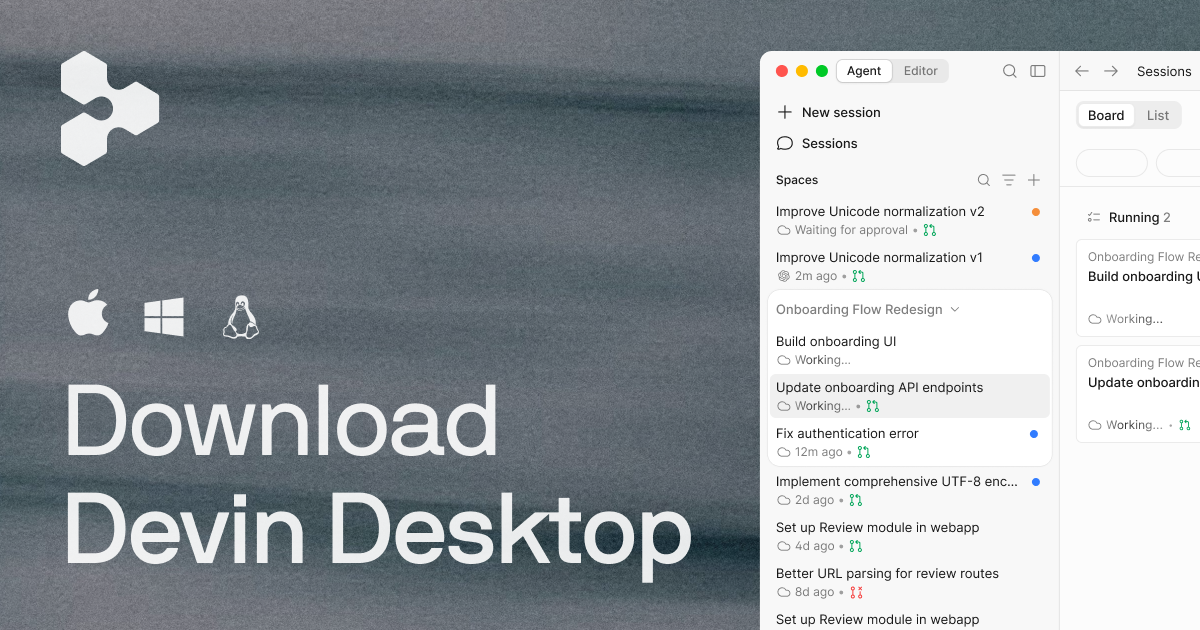
Manage local and cloud AI coding agents from one IDE, delegate tasks through a Kanban board, review agent-written code and diffs, and ship changes after inspection.
About
Devin Desktop is an IDE and command center for managing AI coding agents. It sits in developer tools work.
You can run agents locally or in the cloud, track them on a Kanban board, and review diffs before merging. The tool wraps a full IDE with extensions, syntax highlighting, and autocomplete.
It wants to be both your daily editor and your agent supervisor. That trade-off shapes everything else.
Open it if you manage multiple AI agents and need visibility into parallel work. Skip it if you want tight, instant feedback loops or work with ambiguous requirements.
Who Devin Desktop is best for
It fits when the work is bounded and the payoff is speed.
- Product managers with some coding background: You get working prototypes in hours instead of days. The spec quality still matters more than your speed.
- Non-technical founders validating SaaS ideas: You ship a tested MVP without hiring first. You still need to review what ships.
- Engineering teams with well-defined ticket backlogs: You offload glue code, tests, and migrations. Your code review process catches what the agent misses.
- Teams running parallel workstreams: You queue 6–8 tasks and review PRs as they land. The Kanban view replaces babysitting one slow session.
- Solo developers offloading maintenance work: You reclaim time for harder problems. Repetitive refactors handle themselves.
- Organizations needing FedRAMP or HIPAA compliance: Local agents clear procurement barriers other tools cannot. Cloud agents lag until later 2026.
Best things about Devin Desktop
These are the parts that earned a second look.
- Agent Command Center with Kanban view: You see status across local and cloud agents at once. You stop losing track of what is running.
- Spaces for shared context: New agents inherit project context automatically. You stop re-explaining your codebase to every session.
- ACP protocol for agent choice: You run Claude, Codex, or custom agents inside the same surface. No single vendor locks you in.
- Supercomplete and Fast Context: Predictive completion and millisecond codebase search keep you in flow. The IDE does not feel like a wrapper.
- Free tier for experimentation: You try the workflow before the $500 team cost. The $20 Pro tier bridges the gap.
How you use Devin Desktop
The loop is hands-off by design.
- Define a clear task in the Slack-style interface.
- Devin spins up a sandboxed environment with terminal, browser, and editor.
- Step away and check the Kanban board for status.
- Review the diff and test output before merging.
Why you should ignore it
The fit fails when work gets messy or budgets are tight.
- Skip it if you need fast iteration: 12–15 minute response cycles kill exploratory coding. You cannot course-correct in real time.
- Skip it if your tasks are ambiguous: "Improve the checkout flow" produces code that runs but misses intent. It does not ask clarifying questions.
- Skip it if you expect autonomy: Real testing shows 15% task completion. You babysit the other 85% or watch it spin.
- Skip it if your budget is capped: Failed cloud sessions burn non-refundable compute. The $500 team tier stings when reliability is this low.
- Skip it if you need to understand the logic: Intermediate reasoning is often hidden. Debugging requires re-entering context you did not see build.