
Descript
Freemium
Record, transcribe, and edit video and audio by editing text, with AI tools for cleanup, clips, captions, and publishing to multiple platforms.
About
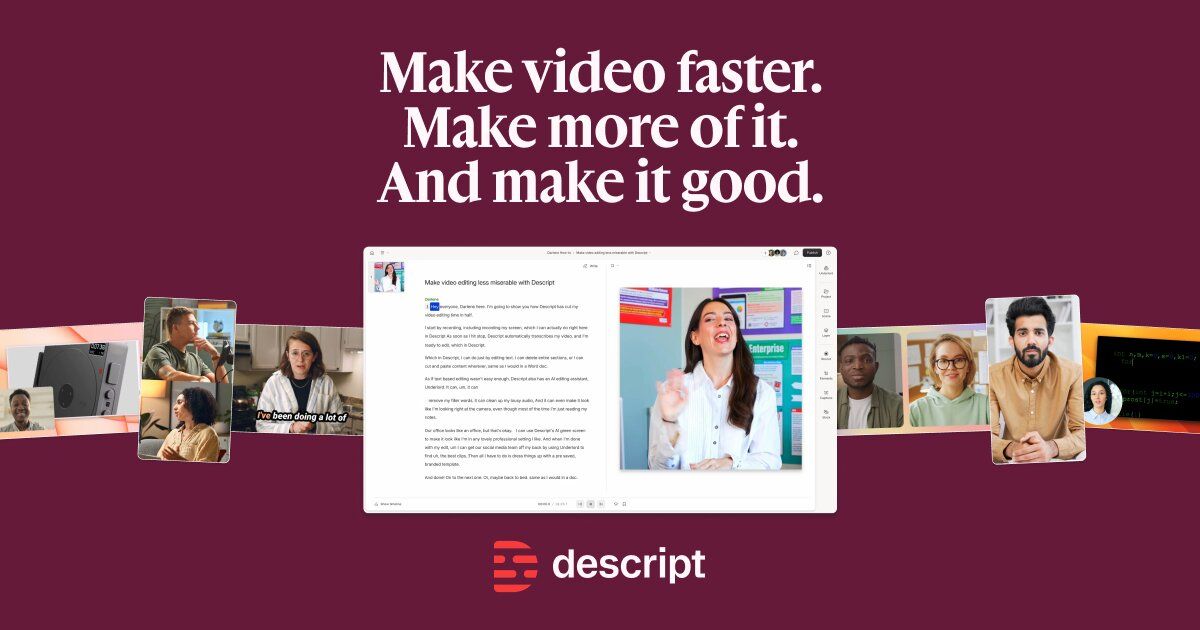
Descript is a video editing tool where you edit by changing text, not by scrubbing a timeline. It sits in the video editing space. The tool transcribes your audio and video, then lets you cut, move, and delete by working on that transcript.
You upload a file. It gives you text. You delete words, and the video trims to match. You can also clean up audio, remove filler words, clone your voice, and export to YouTube or podcast hosts.
The catch: it works best for spoken content. It is not built for music videos, heavy visual effects, or precise frame-level cuts.
Open it if you edit podcasts, interviews, or tutorials and hate timeline scrubbing. Skip it if you need cinematic editing or work with music-heavy content.
Who Descript is best for
These are the people who get the most from it.
- Podcasters editing interview content: You cut by deleting "ums" and tangents like you're editing a document. You finish episodes in minutes instead of hours.
- YouTubers making talking-head videos: You get fast turnaround without learning a traditional editor. The text-based workflow matches how you already think.
- Course creators recording screen shares: You fix mistakes by typing new words, not re-recording. Studio Sound cleans up bad mic audio in one click.
- Marketing teams making social clips: You turn one long video into multiple shorts by rearranging text. Collaboration links let reviewers comment on specific sentences.
- Teams who need transcript precision: You get speaker labels and searchable text. Comments link to exact moments in the audio.
- Solo creators without editing skills: You produce polished content without hiring an editor. The free plan lets you test before you commit.
- Anyone who hates timeline editing: You skip frame-by-frame scrubbing entirely. The word processor feel makes cuts obvious and reversible.
- Users needing transcription and editing together: You stop exporting between separate tools. One file, one workflow, one export.
Best things about Descript
These are the parts you keep coming back to.
- Text-based editing: You delete sentences from a transcript and the video follows. It feels like editing a Google Doc, not a video timeline.
- Studio Sound: You rescue bad recordings from echoey rooms. One click strips noise and adds body that sounds like treated studio audio.
- Filler word removal: You find every "um," "uh," and "like" in seconds. You remove them all at once or review individually.
- Voice cloning with Overdub: You type corrections and hear them in your own voice. You fix small flubs without setting up a mic again.
- Real-time collaboration: You share a link and get comments on specific transcript lines. Multiple people edit without version conflicts.
How you use Descript
The flow is straightforward once you know the steps.
- Upload your video or audio file, or record directly in the app.
- Wait for the automatic transcript—usually a few minutes for a half-hour file.
- Edit the text to cut, rearrange, or delete content. Watch the video sync to your changes.
- Run Studio Sound and remove filler words with one click each.
- Export in your chosen format, or publish directly to YouTube or a podcast host.
Why you should ignore it
Skip it when these limits matter to you.
- You need precise visual editing: Timeline controls feel clunky. Color grading, complex transitions, and motion graphics are basic or missing.
- You work with long files regularly: Performance lags and crashes hit projects over two hours. The tool gets unstable as file size grows.
- You only need transcripts: The full editor setup is overkill. Dedicated transcription tools are simpler and cheaper for text-only output.
- You use non-Latin scripts or multiple languages in one file: Descript supports 25 languages, but only one per file. No support for scripts like Arabic or Chinese.
- You want offline work: It requires constant internet. No offline mode exists for editing or exporting.