
Cliptalk
Freemium
Generate short-form social media videos from text prompts, with automated editing, AI voices, and captions, then export ready-to-post MP4s for TikTok, YouTube Shorts, and Instagram Reels.
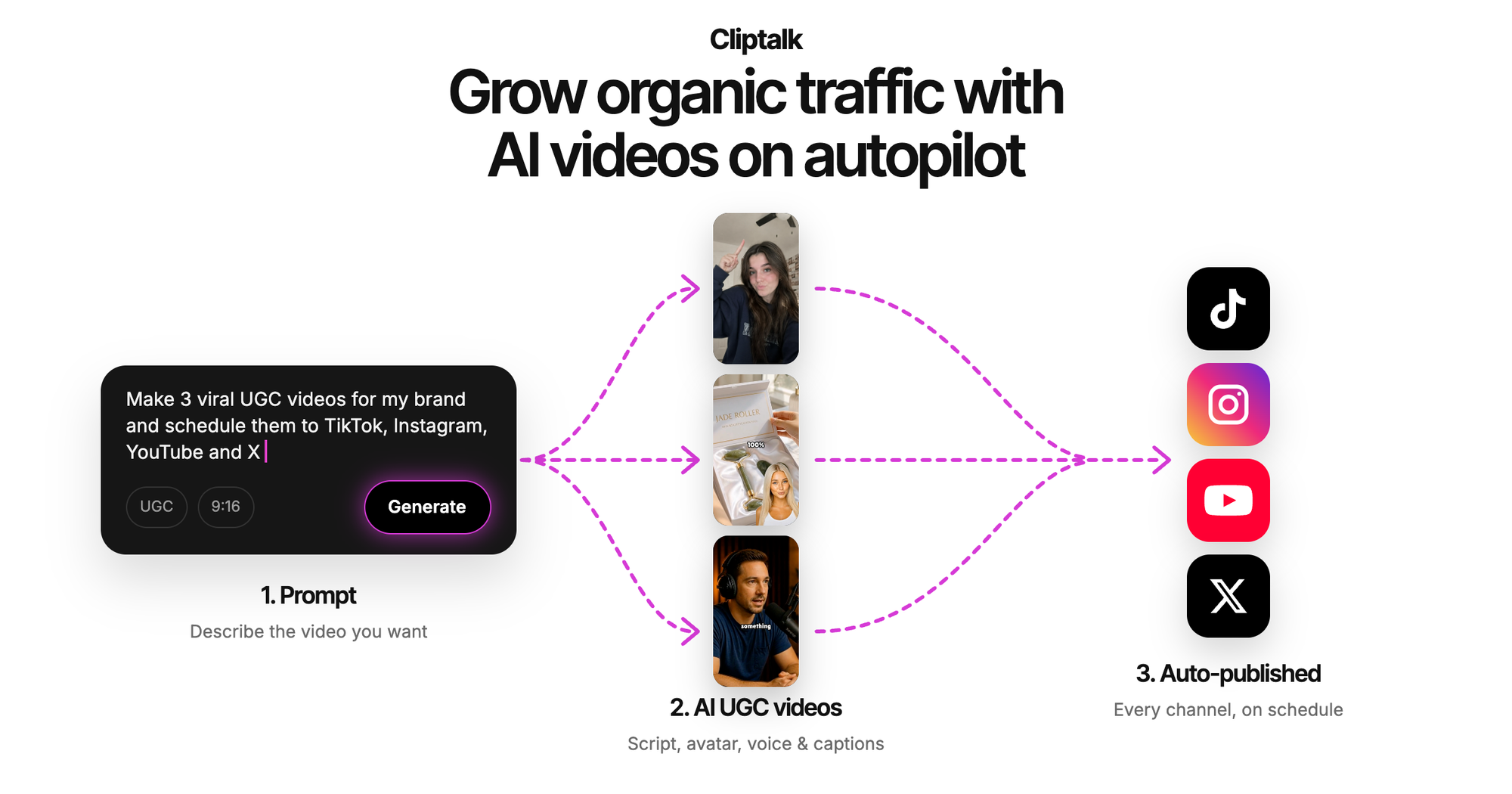
Cliptalk is an AI video generation tool that turns text, links, or product photos into finished short-form videos for TikTok, YouTube Shorts, and Instagram Reels. You describe what you want in plain language, and it returns a complete video with script, visuals, voiceover, and animated captions.
You feed it a prompt, URL, or image. It handles the script, picks footage, adds captions, and renders the file.
It sits in video generation. The whole point is speed for social content, not fine control.
Open it if you need fast vertical videos without editing. Skip it if you need long-form or precise cuts.
Who Cliptalk is best for
These are the people who get the most from it.
- Faceless YouTube channel operators: You get narrated videos without filming. The AI handles voice and visuals.
- Social media managers producing high-volume short content: You batch-create videos to test hooks. Speed beats polish here.
- Content creators repurposing blog posts into video: You paste a URL and get a draft. It skips the manual transcription step.
- Agencies with tight production timelines: You deliver client content fast. The pipeline is shorter than traditional editing.
- E-commerce brands needing product video at scale: You upload product photos and get shoppable shorts. No crew required.
- Educators making quick educational snippets: You turn course materials into short clips. Consistency comes from templates.
- Small businesses without video editing expertise: You skip learning complex software. Plain language commands do the work.
- Independent creators running faceless channels: You clone your own voice from a 30-second sample. The avatar speaks for you.
Best things about Cliptalk
These are the parts that matter once you are inside.
- Natural language editing: You type "remove pauses" or "change caption color" instead of scrubbing timelines. It removes the busywork of clicking.
- URL-to-video automation: You paste a blog link and get a draft video. Repurposing content stops being a project.
- Voice cloning from 30 seconds: You record a short sample and get an AI voice that sounds like you. It keeps your audio consistent across dozens of videos.
- Credit-free basic edits: You tweak captions or trim without burning generation credits. The cost stays predictable.
- 48-language support: You make one video and swap languages for different markets. Expansion stops being a production problem.
How you use Cliptalk
The flow is built for speed.
- Paste a prompt, URL, or upload product photos.
- Pick voice, style, and format from the options.
- Let it generate the full video with script and visuals.
- Type plain-language edits to adjust what you see.
- Download the file or publish direct to social platforms.
Why you should ignore it
These are the hard limits that break the fit.
- No timeline editor: You cannot drag clips or make frame-level cuts. Precision work is impossible.
- Short-form only: You cannot make long videos or complex scenes. The format is locked to vertical shorts.
- Credit consumption varies: You must track what each feature costs. Surprises in billing are common.
- Free plan is minimal: You get roughly one minute to test. That is not enough to judge quality.
- AI voice quality varies: You may need to regenerate or fix audio manually. It is not always ready to publish.
- Output quality depends on source: You get weak results from messy URLs or unclear prompts. Garbage in, garbage out.