
ClickRank
Paid
Connect Google Search Console, add a JavaScript snippet to your site header, and automate on-page SEO including titles, meta descriptions, image alt text, schema markup, and internal links.
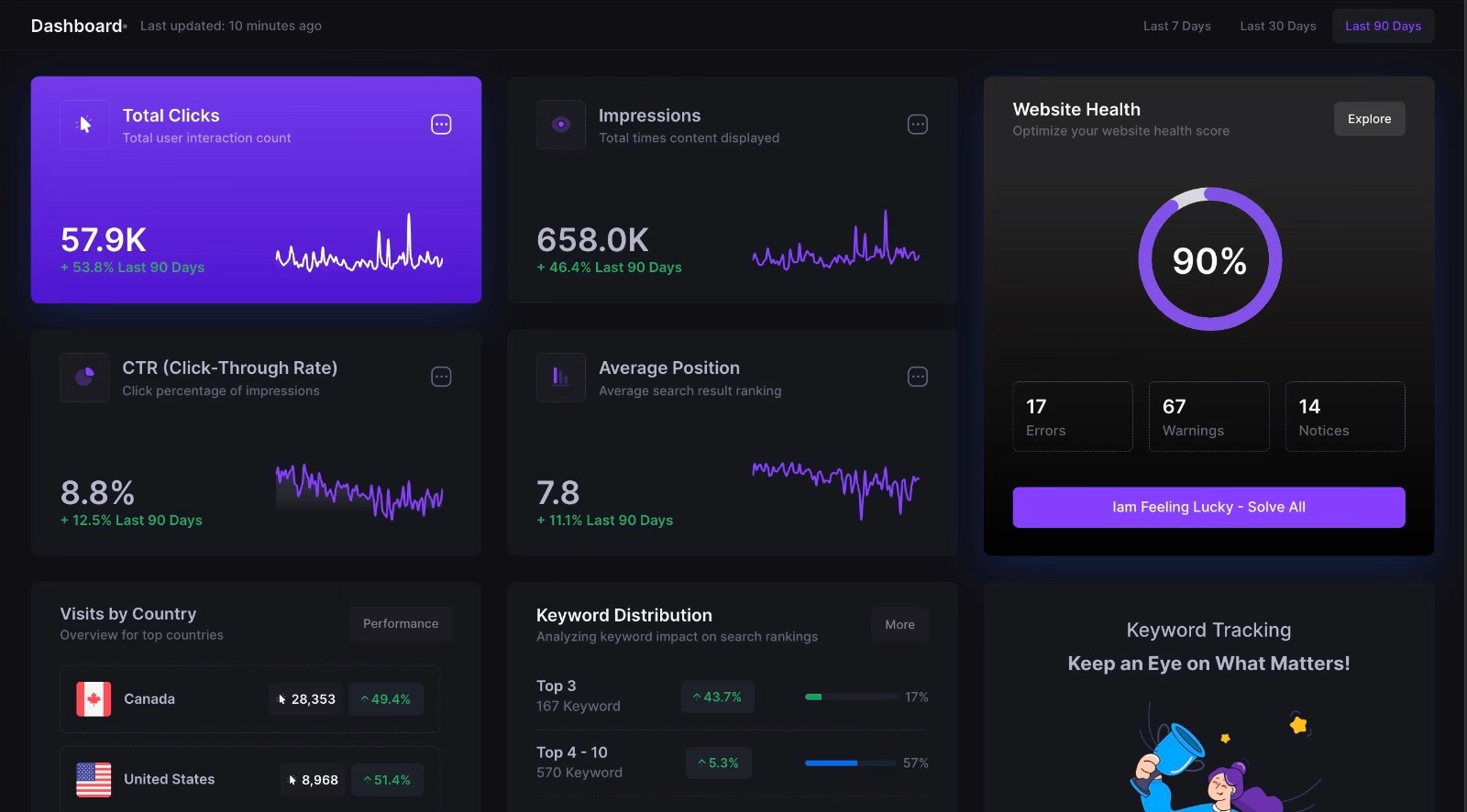
ClickRank is an SEO automation platform that pulls data from Google Search Console and applies fixes to your site through a JavaScript snippet. It promises one-click optimization for titles, meta descriptions, alt text, schema markup, and internal links.
The tool works without WordPress plugins, which keeps your site light. You connect your GSC account, add a small code block to your header, and let it crawl. It then suggests or applies changes based on what it finds.
ClickRank sits in the SEO space but behaves more like a managed service than a standalone tool you fully control. That distinction matters when things break.
Open it if you need bulk on-page fixes and can tolerate risk. Skip it if you need reliable support or a tool with a proven long-term track record.
Who ClickRank is best for
It fits specific situations more than general use.
- SEO practitioners using other tools who want actionable workflows: You get prioritized tasks instead of raw data dumps. The difference is you spend less time deciding what to fix first.
- Bloggers and niche site owners new to SEO: The dashboard strips away complexity that makes tools like Screaming Frog intimidating. You see what is wrong and hit one button to fix it.
- Small businesses wanting automated on-page fixes without hiring specialists: Technical SEO happens in the background. You do not need to learn canonical tags or schema types.
- Marketing agencies needing quick client reporting on rankings and visibility: You generate reports faster than manual audits. The trade-off is depth versus speed.
- Affiliate marketers optimizing content at scale: Bulk optimization saves hours on repetitive metadata. You apply changes across many pages at once.
- Individual site owners without dedicated SEO expertise: The tool handles technical details you would otherwise ignore. You get maintenance done without hiring.
- Teams frustrated by tools that only report problems: ClickRank attempts to fix issues, not just list them. You spend less time exporting reports and more time publishing.
- Small site owners with deferred SEO maintenance who need bulk fixes: One click resolves months of backlog. You catch up without weekend work.
- Those comfortable with AppSumo's refund window as risk mitigation: You can test with 60-day protection. After that, you are on your own.
Best things about ClickRank
These are the parts that work when the service is running.
- One-click bulk optimization: It automates meta tags, schema, and internal linking in batches. You fix hundreds of pages without opening each one.
- Lightweight JavaScript implementation: No plugin slows your site down. You add one snippet and forget it.
- Direct Google Search Console integration: Recommendations come from your actual data, not generic best practices. You optimize for what is already happening.
- Content spider diagrams for long-tail ideas: You discover related topics to build topical authority. This helps with how AI search engines group content.
- AI-powered alt text generation: It writes image descriptions automatically. You save time on accessibility and SEO at once.
How you use ClickRank
The setup is meant to be quick.
- Connect your Google Search Console account to import your site data.
- Add the JavaScript snippet to your site header, or install the WordPress plugin.
- Run a crawl to identify issues like missing titles, duplicate H1s, or broken schema.
- Review suggestions and click "Resolve All" to apply fixes automatically.
- Check your live site to confirm changes took effect.
Why you should ignore it
The risks are significant and documented.
- Domain expiration and product abandonment: The clickrank.ai domain has expired for multiple users, locking them out entirely. You lose access to dashboard and data with no notice.
- Crawling failures on larger sites: Sites over 500 pages see incomplete scans or zero errors detected when problems exist. You think you are fixed when you are not.
- Support that disappears after refund window closes: Emails go unanswered, chat stops responding, and support addresses bounce. You are stranded if something breaks after day 60.
- Broken syncing to live sites: Optimizations complete in dashboard but never reach your actual pages. You pay for fixes that do not happen.
- Locked features after purchase: Unlimited plans become payment-gateway restricted months later. You pay twice for what you already bought.
- Canonical tag conflicts with Yoast: Running both plugins creates competing signals. You must manually disable modules to prevent SEO damage.