
Chroma
Freemium
Store and search embeddings and documents using vector, full-text, and hybrid search, with managed cloud or self-hosted options and official Python, TypeScript, and Rust clients.
About
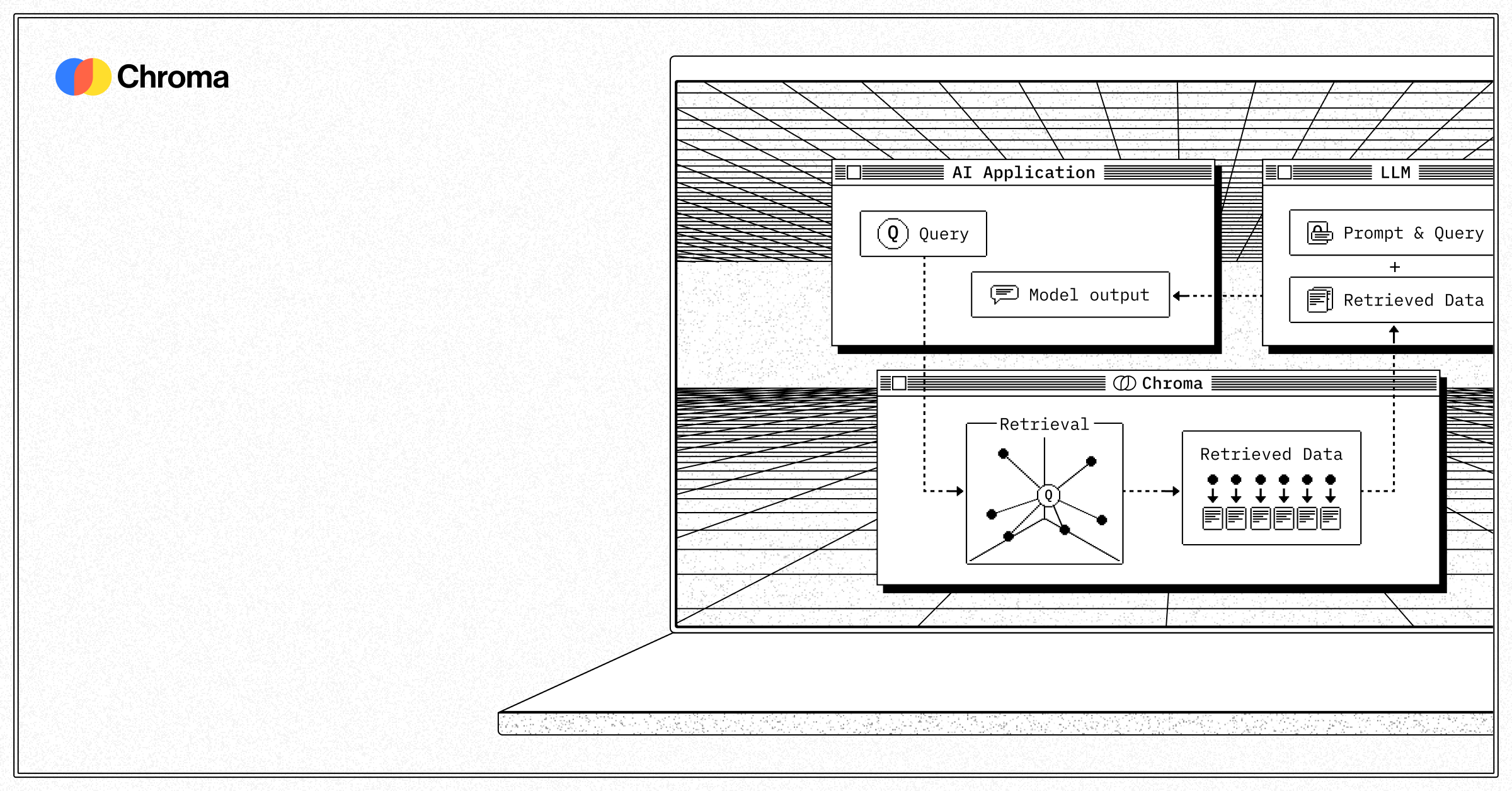
Chroma stores and searches embeddings for AI applications. It lives in developer tools, where the job is retrieval for RAG, agents, and semantic search.
You feed it text, images, or audio. It gives you back the closest matches by meaning, not just keyword. You can filter by metadata, search with regex, or mix methods.
It comes two ways: pip install and run local, or use Chroma Cloud where they manage the machines.
Open it if you need fast retrieval prototyping or light production load. Skip it if you need millions of vectors with high throughput guarantees, or if you already outgrew single-node tools.
Who Chroma is best for
You get value when the job matches the limits.
- Developers prototyping RAG applications: You go from pip install to working search in minutes. You test if retrieval helps before you commit to infrastructure.
- Teams building agent-based systems needing retrieval: Your agents can query context fast. You stay in Python without new query languages.
- Small to medium projects under 1M vectors: You stay in the zone where performance is fine. You hit walls later if you grow fast.
- Tutorial and learning projects: You follow along without wrestling config files. You see results before you lose interest.
- Python-first applications: You use the API you already know. You integrate with LangChain and LlamaIndex without translation layers.
- Individual researchers working with embedding-based projects: You run local on your machine. You delete the folder when you want a clean slate.
- Teams prototyping gen-AI applications: You start local, move to cloud later with the same code. You do not rewrite for deployment.
- FAQ chatbot builders: You store questions and answers as vectors. You retrieve the closest match to what the user asked.
Best things about Chroma
These are what you notice after you start.
- Two-line setup: pip install chromadb and you are running. No server config, no Docker dance.
- Same API local and cloud: You prototype on your laptop. You move to Chroma Cloud when you are ready. The code does not change.
- Sparse plus dense search: You get BM25 and SPLADE alongside vectors. You catch exact keyword matches semantic search misses.
- Automatic embedding: You skip wiring up your own model. You can still swap providers if you want control.
- In-memory with persistence: You iterate fast in development. You keep data across restarts when you need it.
Why you should ignore it
Skip it when the limits block your path.
- Skip it for high-throughput production: Single-node architecture bottlenecks on CPU and memory. You see latency spikes with concurrent queries.
- Skip it when you need millions of vectors: Performance drops past roughly 1M. You will migrate sooner than you want.
- Skip it for built-in hybrid in open-source: Unified Search API that blends dense and sparse is Chroma Cloud only. You write your own fusion code if you self-host.
- Skip it for strict production reliability: No native replication or high availability in self-hosted. You build failover yourself.
- Skip it for deep index tuning: HNSW options are limited compared to tools with multiple index types. You hit ceiling when you need optimization.