
BeautyPlus Image Enhancer
Freemium
Upload photos to a browser-based AI enhancer, select from seven specialized presets and resolution up to 16K, then download restored images individually or in batches of up to 50.
About
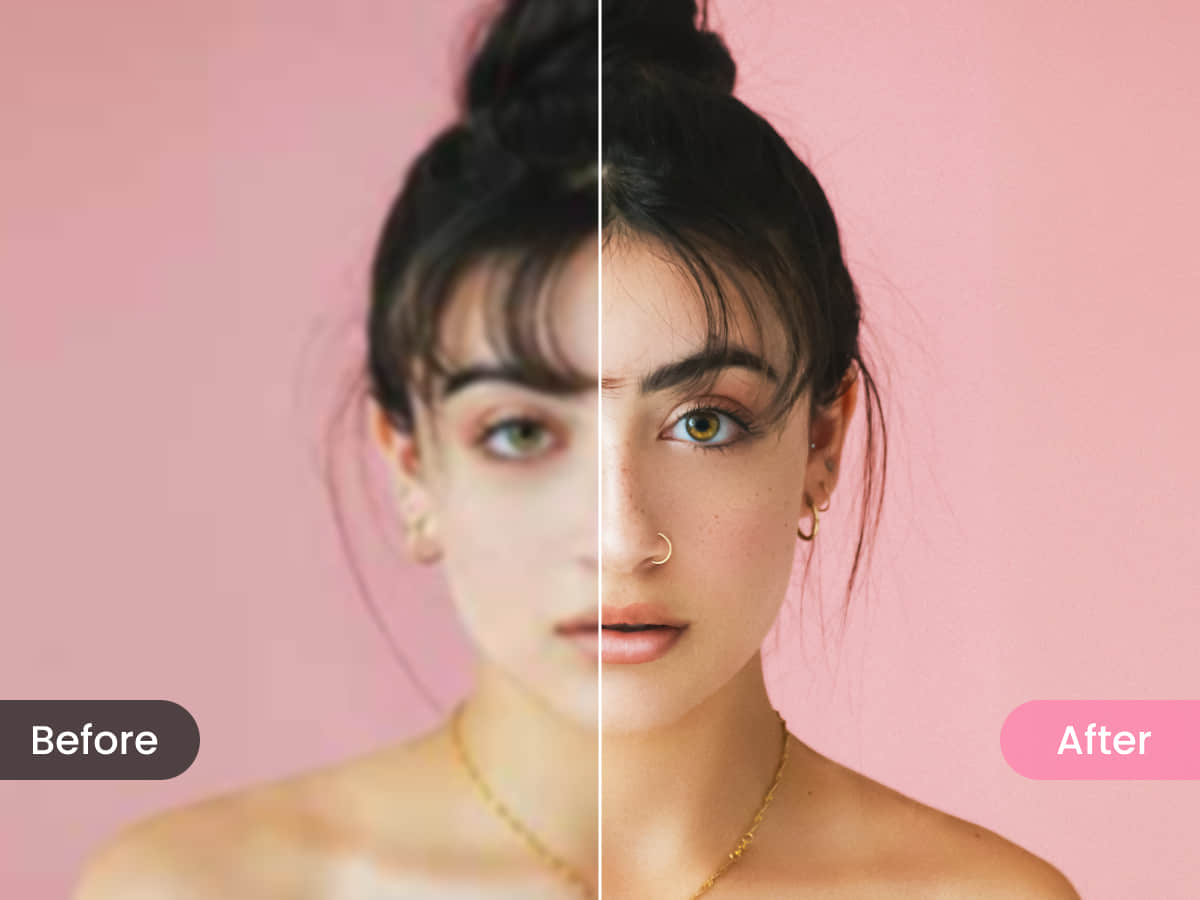
BeautyPlus Image Enhancer is a web-based image editing tool that upscales photos and fixes common problems with one tap. You upload a file, pick a mode, and get a cleaned-up version.
It is built for speed, not control. The AI decides most of the look. You can tweak a little after, but you are not in the driver's seat.
The free tier limits you to 5 credits per day. Paid options use credits or subscriptions, depending on how often you use it.
Open it if you need fast, simple fixes for portraits, products, or old photos. Skip it if you need precise control or professional output.
Who BeautyPlus Image Enhancer is best for
This tool fits when speed matters more than precision.
- Portrait work: It smooths skin and brightens eyes in seconds. You skip manual retouching.
- Old family photos: It sharpens soft details and reduces blur. You rescue photos you'd discard.
- E-commerce product shots: It cleans up images in batches. You get faster listings.
- Social media creators: It gives polished selfies with one tap. You post without overthinking.
- People who avoid subscriptions: The credit system lets you pay per use. You spend when you need it.
- Teams doing bulk cleanup: You process up to 50 images at once. You skip repetitive clicks.
- Users needing web-based workflows: Nothing installs. You work from any browser.
- Content cleanup jobs: Dedicated tools remove people, watermarks, or objects. You pick the right workflow fast.
Best things about BeautyPlus Image Enhancer
These are the parts that keep you coming back.
- One-button operation: You upload and tap. The result comes back in seconds.
- Batch processing: You throw 50 photos at it. You walk away while it works.
- Task-specific workflows: You pick "Remove People," "Watermark Remover," or "Object Remover." You skip guessing which tool to use.
- High-res output without tiers: You get full resolution by default. You don't hit paywalls for bigger files.
- Portrait-focused AI: It knows faces. You get better results on selfies than general-purpose tools.
How you use BeautyPlus Image Enhancer
The path is short and the same each time.
- Open the site and upload your image.
- Pick a preset—portrait, old photo, product, or another.
- Choose HD, UHD, or AI UHD for processing strength.
- Wait for the AI to finish.
- Download or tweak saturation and contrast if needed.
Why you should ignore it
Skip it when control or accuracy matters more than speed.
- Limited control: The AI decides the look. You can't fine-tune skin texture or color balance.
- Portrait bias: It works best on lighter skin tones and female faces. You get weaker results outside that range.
- Hair tools are weak: Straight or middle-part hair looks okay. You can't do textured or styled hair.
- AI-generated content warnings: Some listings use AI-written descriptions with no real testing. You can't verify claims.
- Not for pro workflows: It modifies images rather than reconstructing detail. You won't fix severely damaged files.