
AI Song Maker
Freemium
Generate royalty-free songs from text, lyrics, or audio uploads using AI voice cloning, vocal removal, and music video creation tools in a web browser.
About
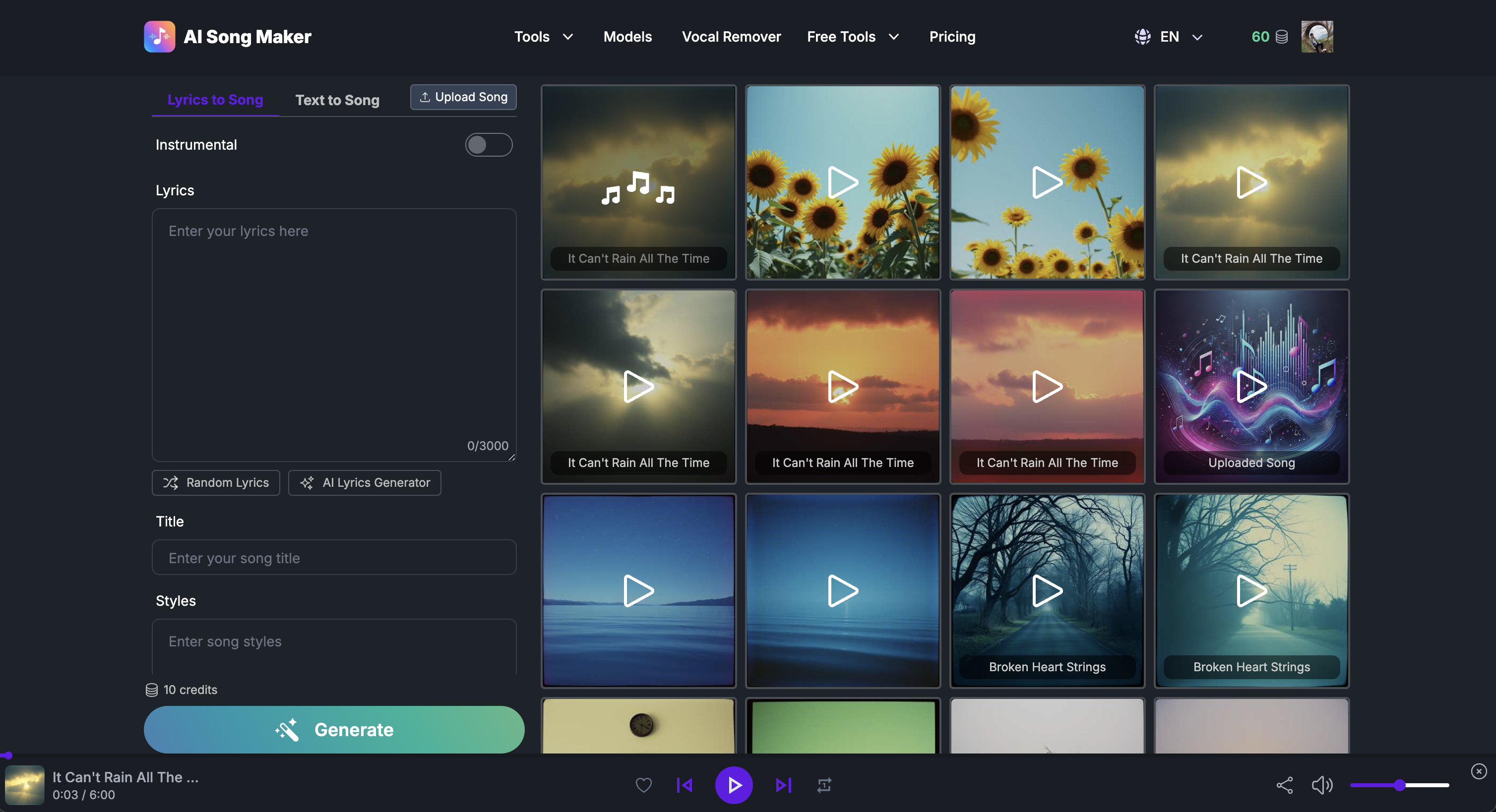
AI Song Maker is a web-based AI music generator that turns text, lyrics, or mood prompts into full songs with vocals and instruments.
You type what you want. It gives you an MP3, WAV, or MIDI file you can drop straight into a video or post.
The tool sits in music generation. It is built for speed, not for replacing a producer.
Open it if you need quick demos or background music. Skip it if you need release-ready masters without extra work.
Who AI Song Maker is best for
These are the people who actually get something out of it.
- Songwriters who want to hear lyrics as demos: You paste words in. You get a sung version back in minutes. You decide if the melody works before you book studio time.
- YouTubers needing royalty-free background music: You generate a track. You own the rights. You post without Content ID headaches.
- Beginners without music production experience: You do not touch a DAW. You do not learn MIDI. You write, click, and listen.
- Social media creators needing quick soundtrack drafts: You need something now. The free tier gives you four songs a day to test vibes.
- Indie game developers exploring early soundtrack ideas: You mock up a level with placeholder music. You replace it later if the game ships.
- Podcasters wanting royalty-free intro/outro music: You generate a short theme. You loop or trim it. You own the file.
- Users wanting quick comedy or novelty songs: You write silly lyrics. The AI sings them straight. You share the result.
- Children's music creation: You describe a bedtime theme. You get gentle vocals and soft instruments without hunting stock libraries.
Best things about AI Song Maker
These are the parts that keep you coming back after the novelty wears off.
- The free tier is actually usable: You get ~4 songs daily with no credit card. You can test the sound before you pay.
- It handles the full stack: Melody, harmony, vocals, and mastering in one pass. You do not cobble tools together.
- Multiple ways to start: Text prompts, pasted lyrics, or uploaded audio. You pick the input that matches what you have.
- Extra tools built in: Vocal removal, AI covers, and music video generation. You stay in one tab for simple jobs.
- Commercial rights on paid plans: You get a PDF license. You can monetize the video or sell the game.
- Browser-based, no install: You work on a Chromebook or phone. Nothing to download or update.
How you use AI Song Maker
The path is simple enough to try in one sitting.
- Open the site and pick a mode: text-to-song, lyrics-to-song, or another tool.
- Type your prompt or paste your lyrics. Add genre or mood tags if you want.
- Hit generate and wait a minute or two.
- Listen to both versions it gives you. Pick the one that fits.
- Download if you are on a paid plan, or record the preview if you are testing free.
Why you should ignore it
Skip it when the limits bite harder than the speed helps.
- Skip it if you need pro mixes: The output suits background music and demos. It will not replace a mastered track for release.
- Skip it if you hate credit systems: Paid credits can reset or disappear without warning. Some users lost hundreds of dollars with poor support response.
- Skip it if you need control: You cannot edit vocal phrasing, arrangement, or mix details. You accept what the AI gives you.
- Skip it if you iterate a lot: Credits burn fast when you chase the right sound. Costs stack up quickly.
- Skip it if you want downloads for free: The free tier blocks downloads entirely. You can only listen in the browser.